Stop looking like every other investor. Keep everything you built.
Apex Vivus builds you a custom website nobody else in your market has, then runs everything after the lead: your CRM, deal analyzers, repair estimates, the REILink cash buyer network and deal Repository, training, and Humphrey, the AI across all of it. Moving from Carrot brings your pages, web addresses, blog, leads and integrations with you.

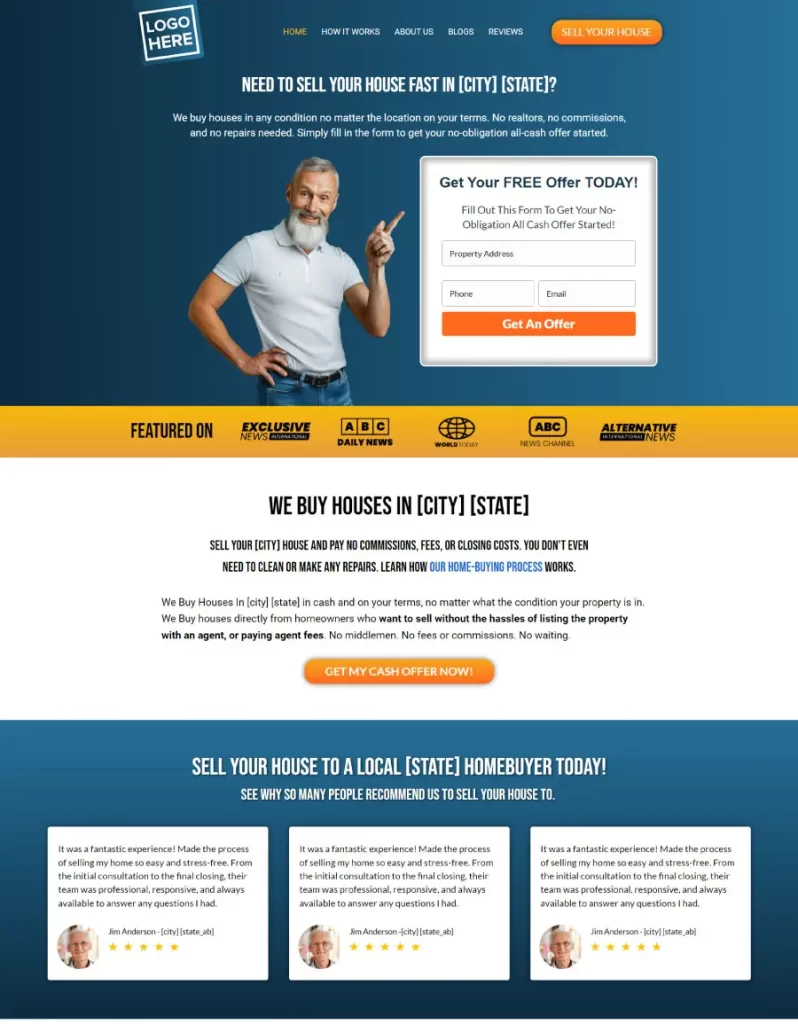
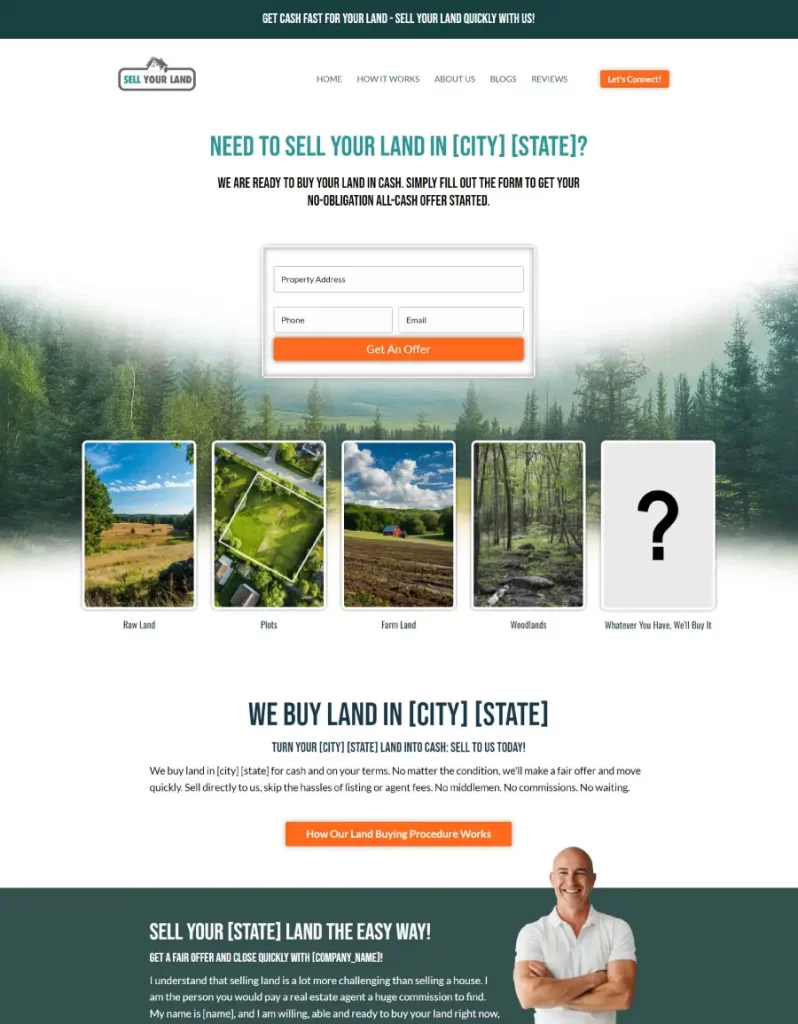
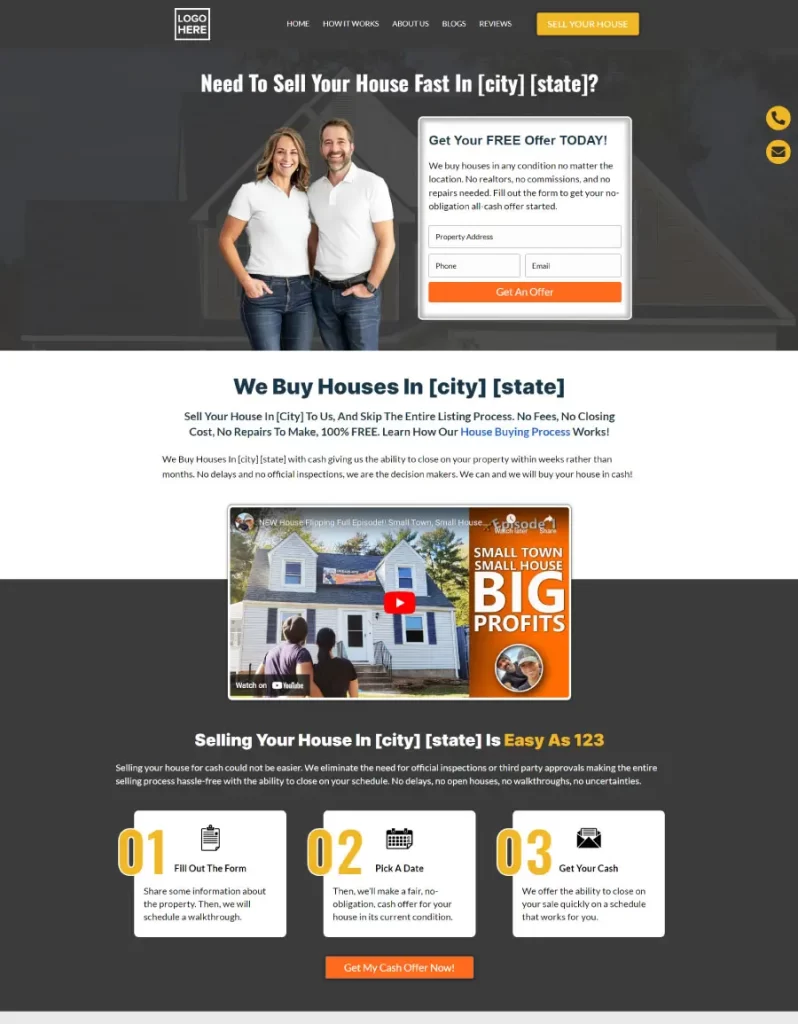
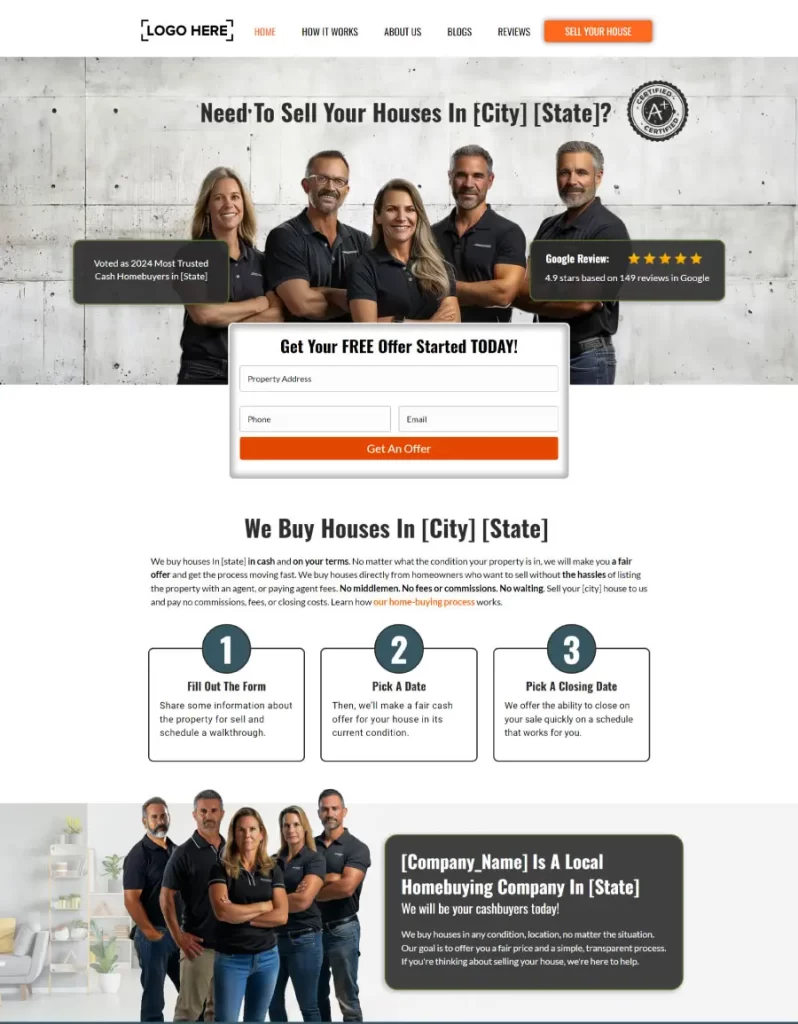
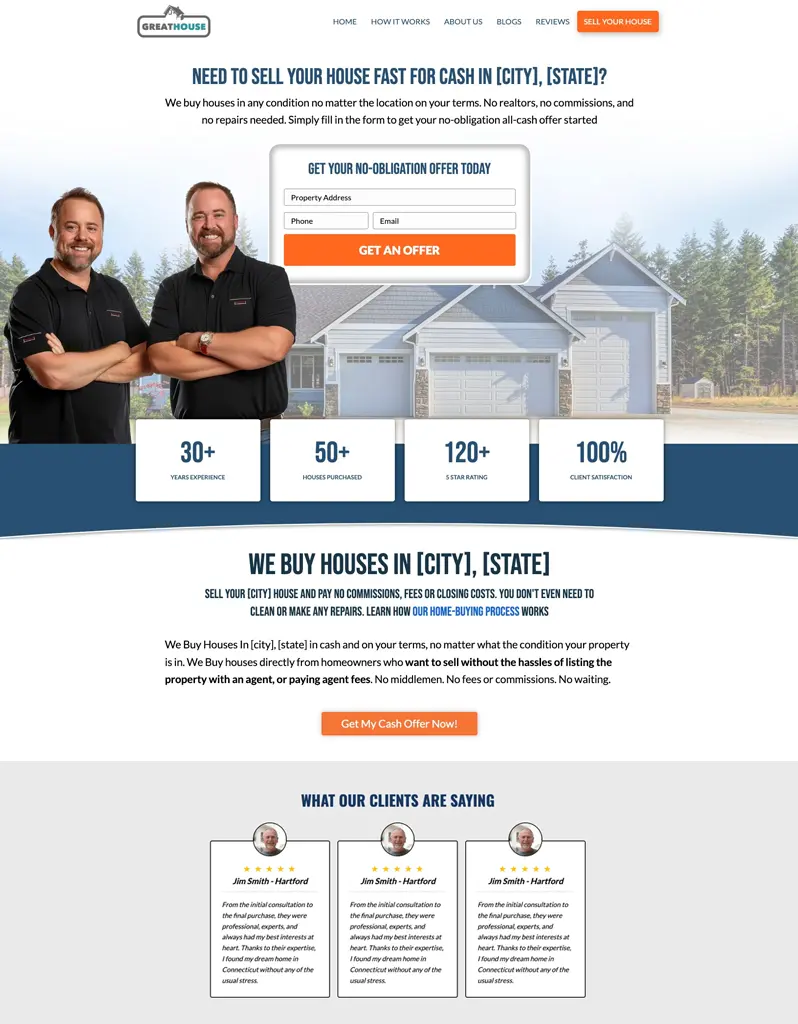
A seller opens three investor sites. They all look the same.
Same layout, same photo, same green button. By the third one the seller has stopped seeing a person, and they call whoever looks real. Apex Vivus doesn't do templates: custom for everyone means no two sites are the same.
YoursEleven look-alike template sites and one Apex Vivus site. Your seller can spot it too.
No two Apex Vivus sites look alike.
A seller decides how they feel about you within moments of landing on your site, and that feeling decides whether they call. So each design is inspired by a person: male-inspired, female-inspired, couple-, partner- or team-inspired. It's not about being a man or a woman. It's the attempt to bring your personality onto the website, instead of a completely detached, generic design that has nothing to do with the personality you have as a person. Then your photos, your story and your words make it yours. Point at one to scroll the whole page.
A live Apex Vivus investor site. Scroll it and click around.
Four photos and a logo. A site with you in it.
Apex Vivus turns your photos into professional pictures that fit your design, fills in every page with your business details, and does the technical work for you.
Everything you wrote, in a design that's yours.
The words your sellers and Google already know stay exactly as you wrote them. Everything around them changes.

- 1Your heading, word for word
- 2The same web address
- 3Your buttons and phone number, in your colours
Most investor websites wait. Yours gets sellers talking.
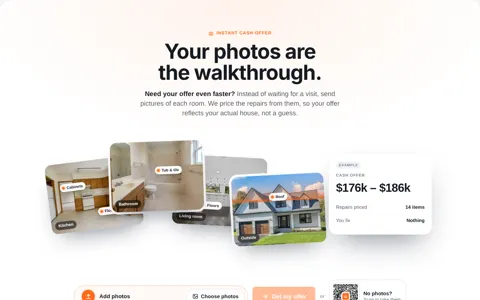
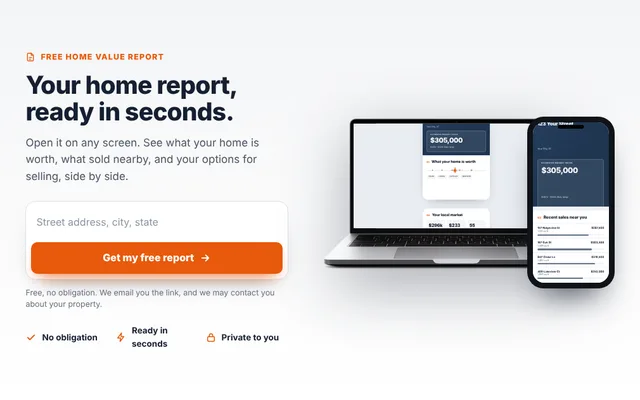
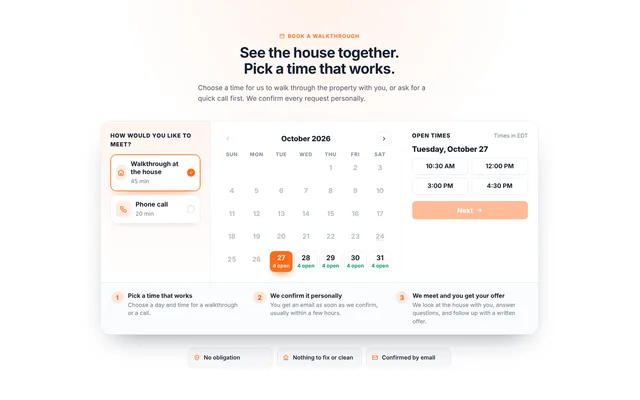
Website companies stop at the lead. Apex Vivus keeps going.
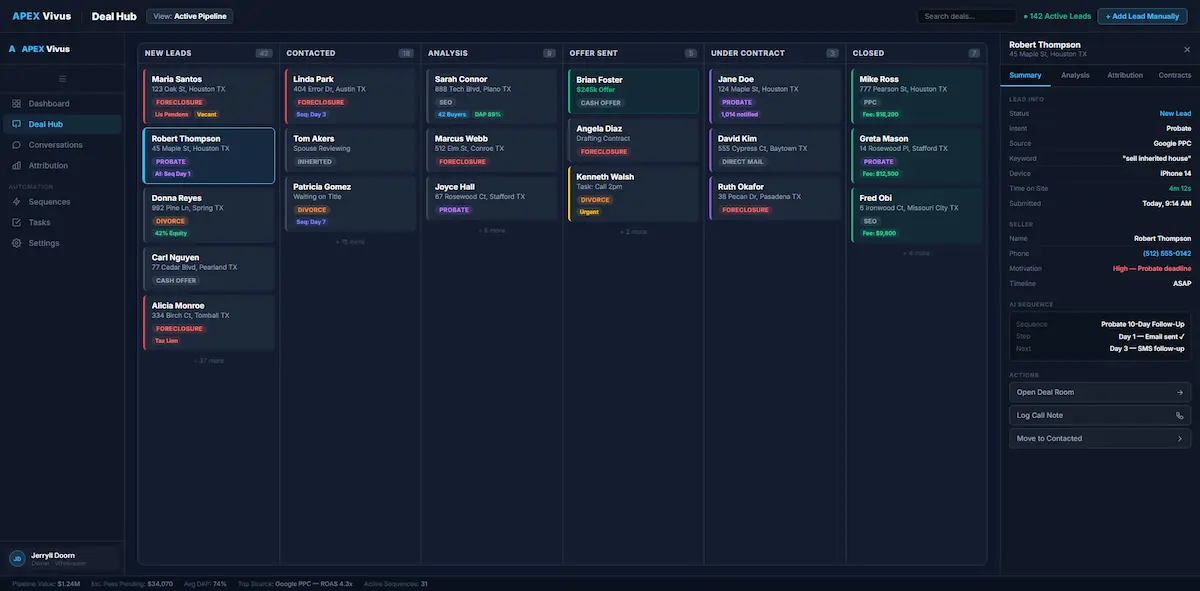
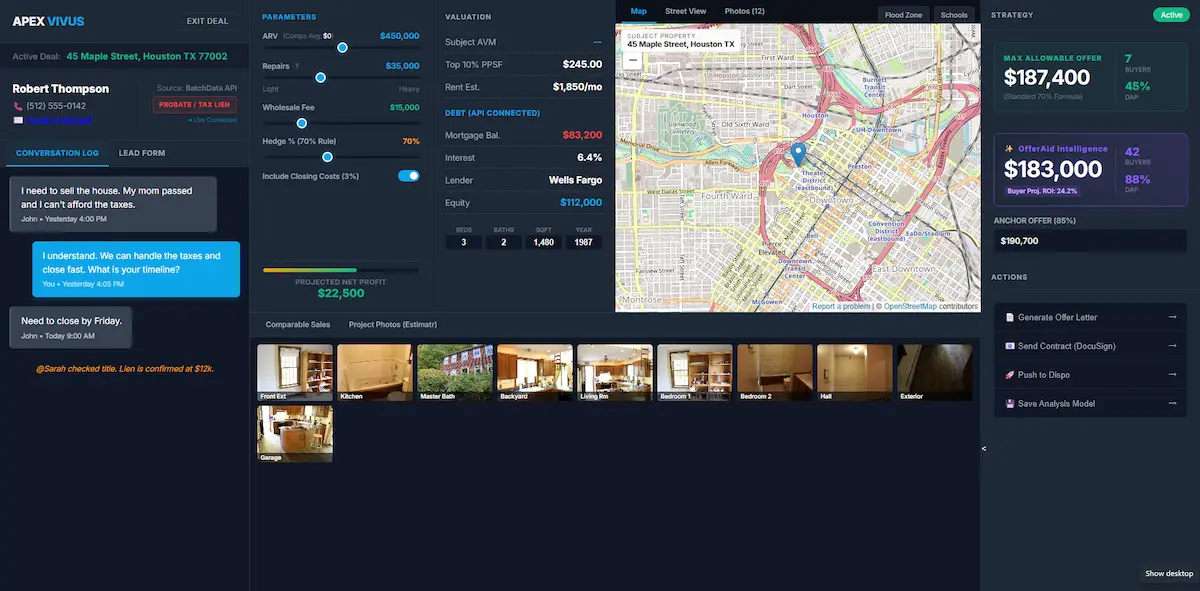
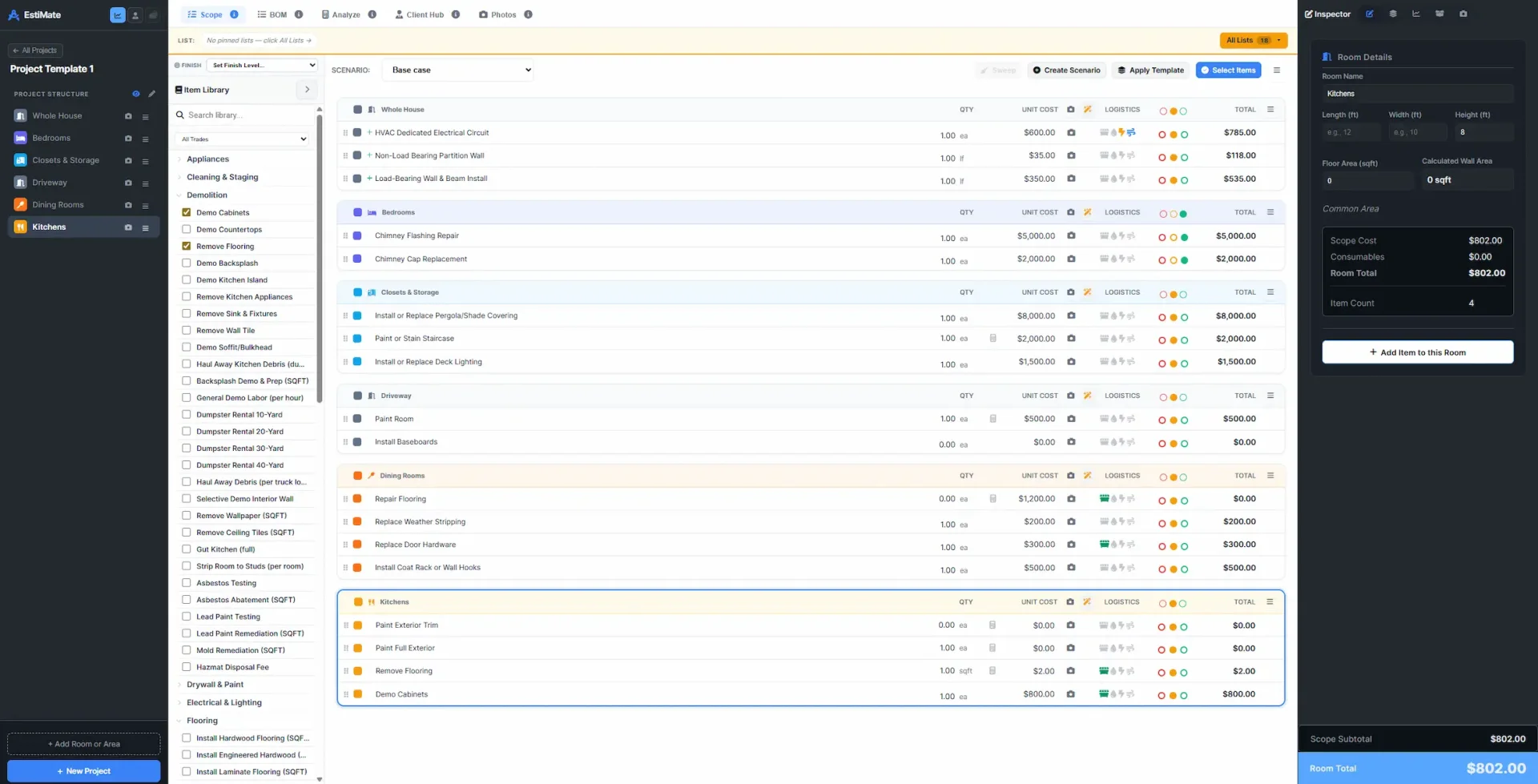
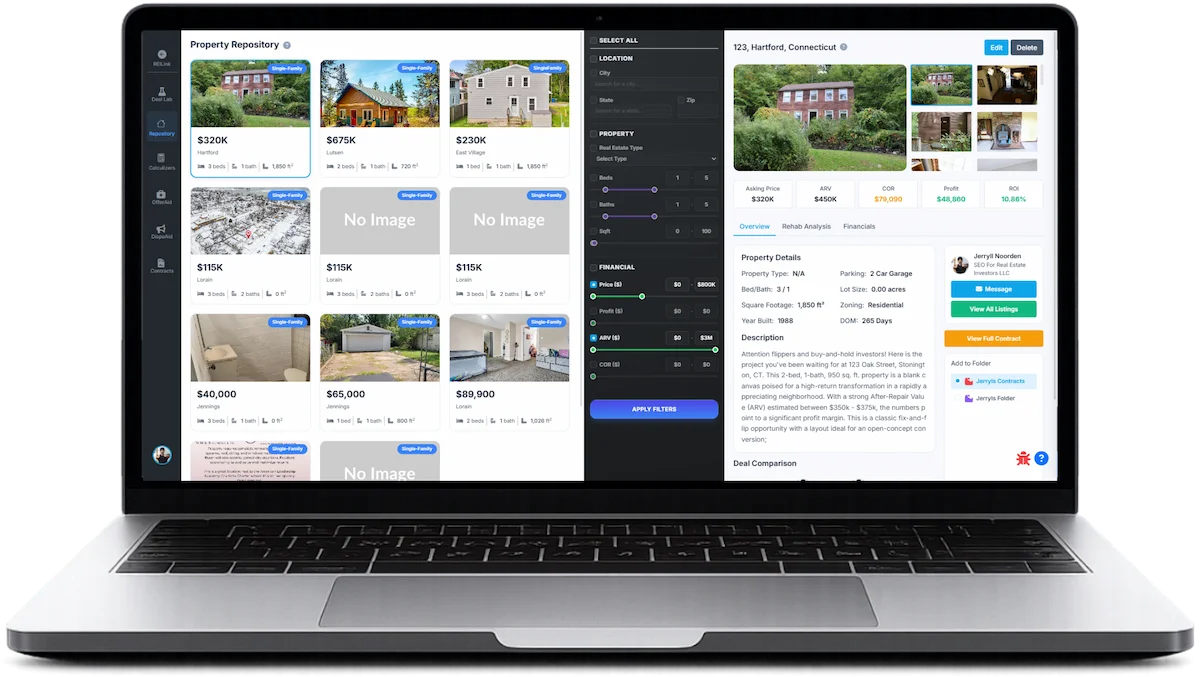
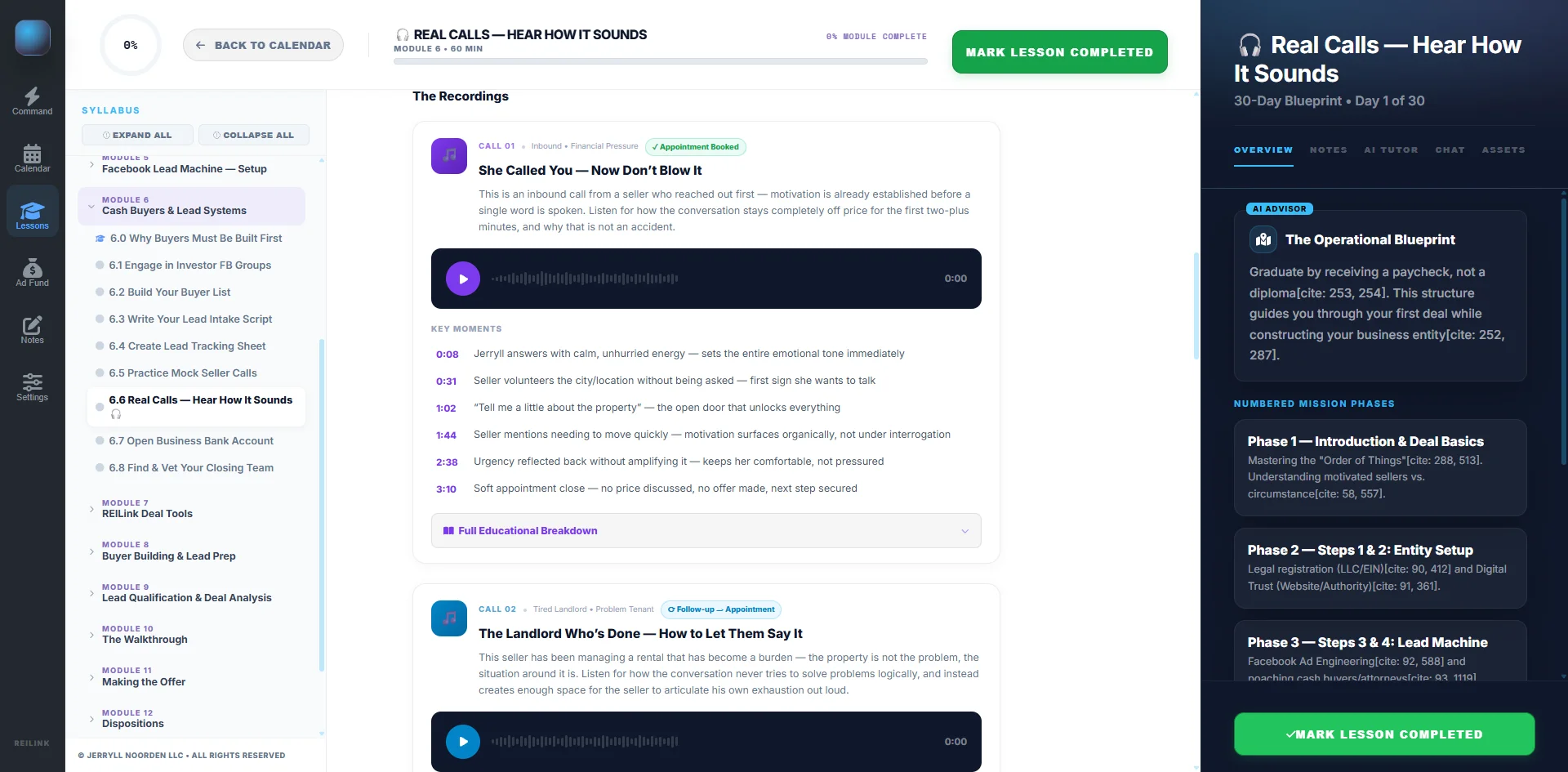
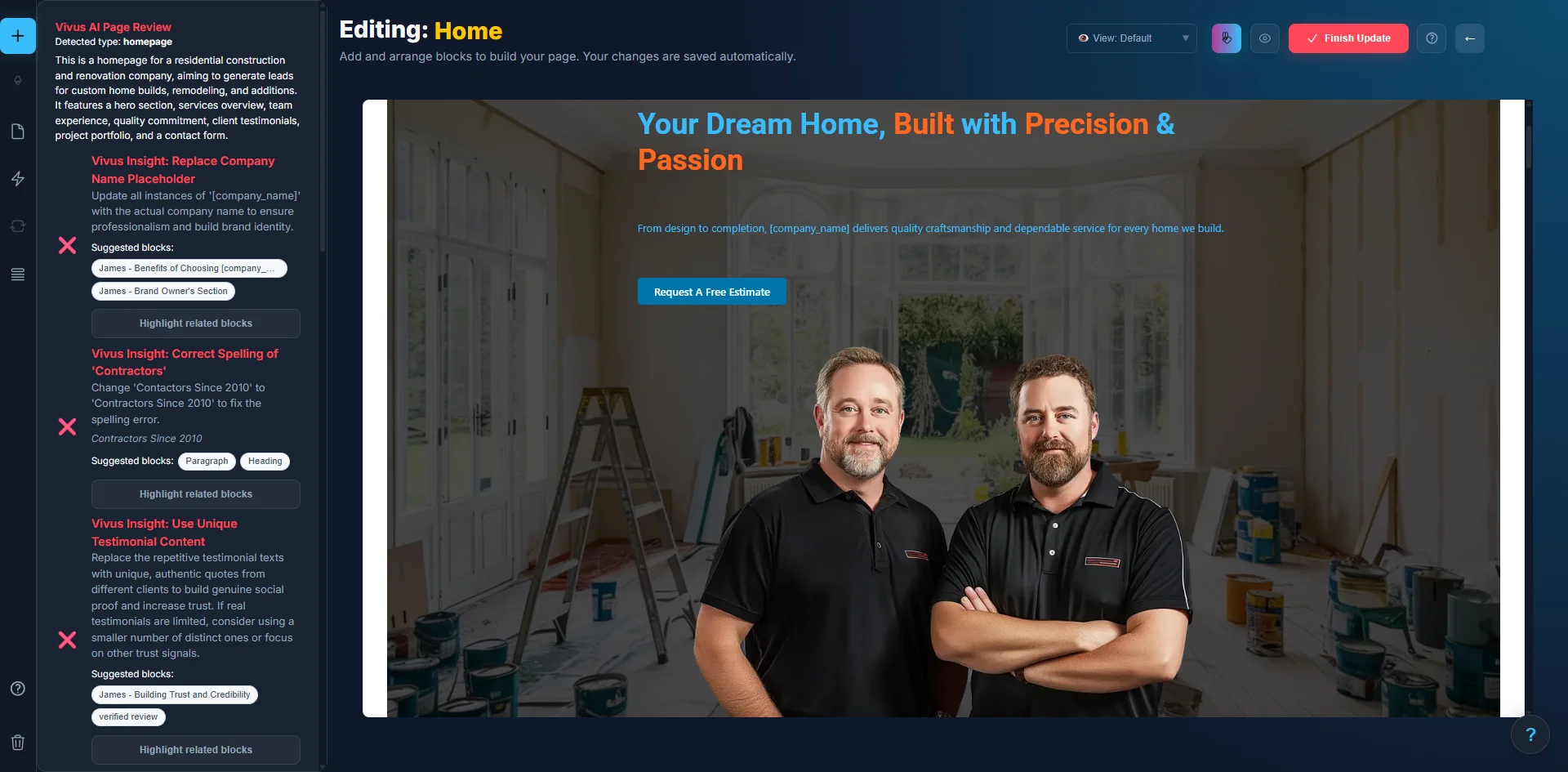
Everything on your Carrot site comes with you.
Six steps. Apex Vivus does the work in each one.
- 1
Type your Carrot web address
Apex Vivus reads your whole site: every page, blog post, picture and menu link, and what Google shows for each page.
- 2
See where each page goes
Each old page is matched with the page of your new site that says the same thing. Change any match, or leave a page out.

- 3
Your words go into your design
Humphrey puts your words into each matching page, word for word, and that page takes your old web address. Every other page is laid out in your design.
- 4
Bring your leads and your menu
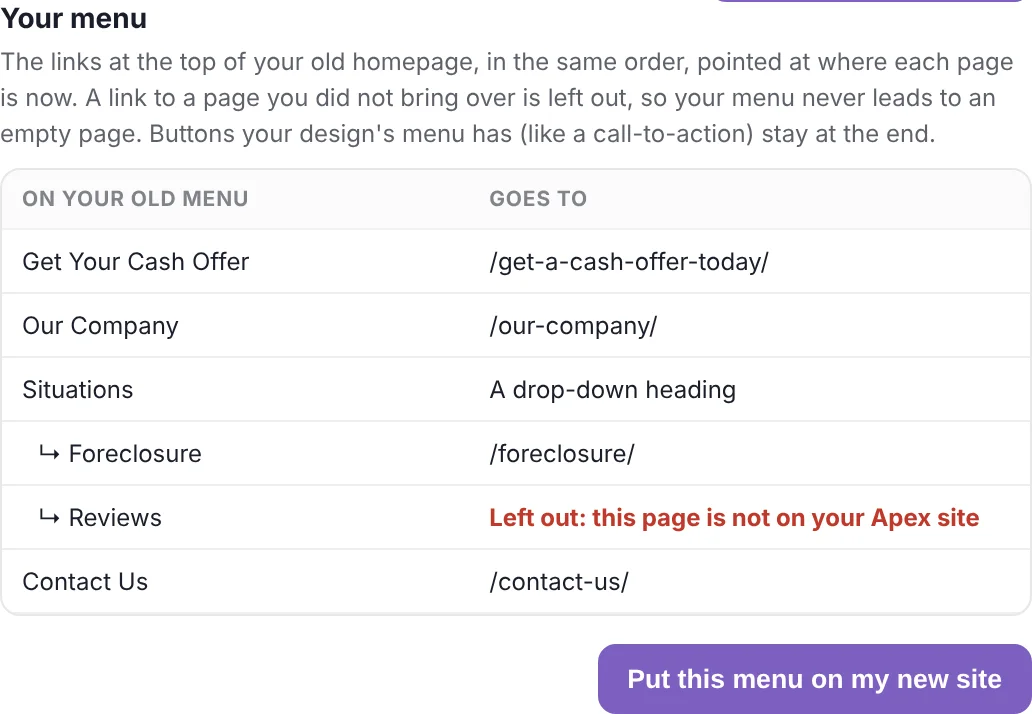
Drop in the lead file you export from Carrot. Your old menu goes on the new site with one button, each link pointing at where its page is now.
- 5
Apex Vivus checks the new site
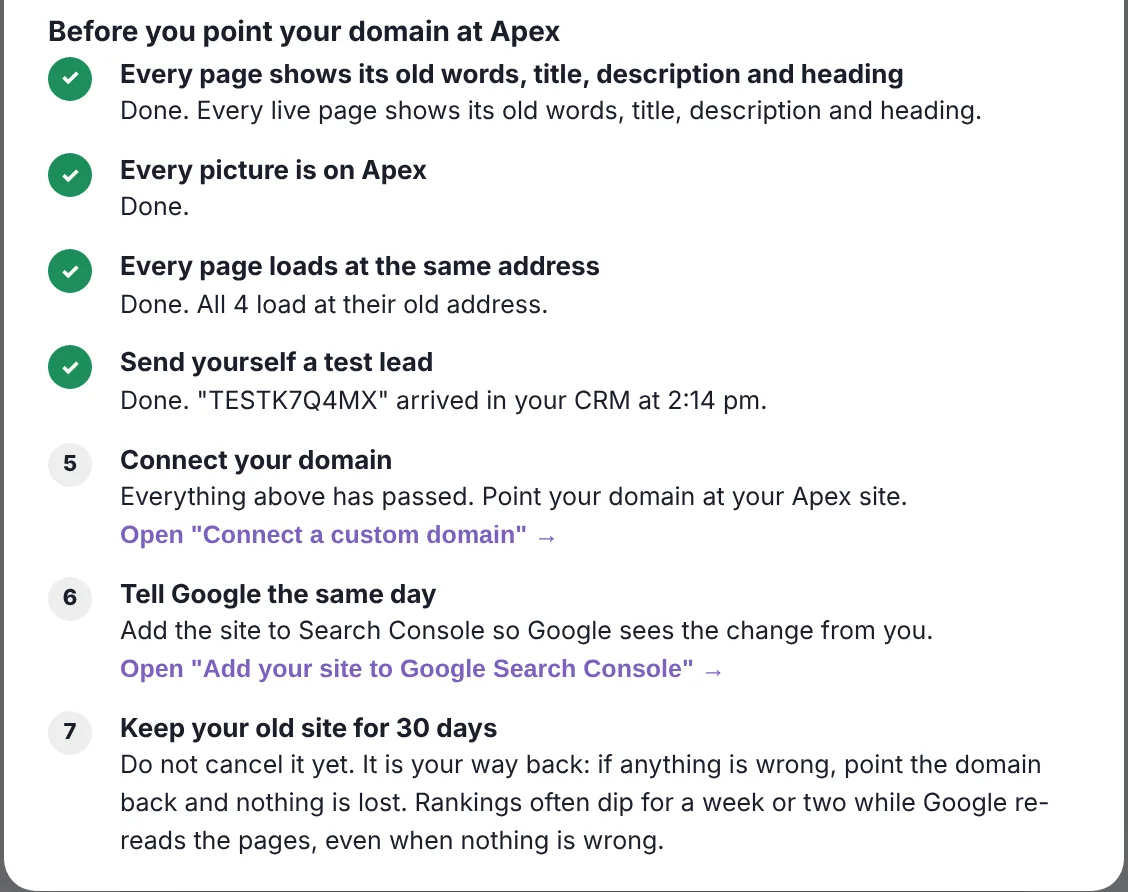
Every page, web address, picture and Google title is checked on the live site, and you send a test lead to prove your form works.
- 6
Connect your domain
Only after every check passes. Your Carrot site stays live the whole time, so no visitor ever sees a half-built site.
What investors ask before they move.
Google and your rankings
Will I lose my Google rankings?
Google ranks a page on its web address, its words and what it tells Google about itself. Apex Vivus keeps all three: the same addresses, your words exactly as you wrote them, and each page's Google title, description and main heading. If an address has to change, the old one forwards visitors and Google to the new one. Nobody can promise rankings, because Google decides them, and it is normal to see them move for a week or two while Google reads your new pages. That is why your Carrot site stays your way back until you are sure.
What about the links other websites have to my pages?
They keep working. A link points at an address, and your addresses stay the same or forward to the new page, so the links you earned keep counting.
Do I have to tell Google about the move?
Add your new site to Google Search Console on the day you switch, and the Setup Guide walks you through it. Your domain stays the same, so there is no change of address to file.
Will my Google Analytics and Facebook Pixel history be lost?
No. Your history lives in your Google and Facebook accounts, not on your website. Paste the same tracking code into Site Settings, Integrations, Header and Footer Code, and the numbers carry on where they left off.
Your leads and your data
Will my leads come with me?
Yes. Export your leads from Carrot as a file and drop it into Apex Vivus. They arrive in your CRM with names, phone numbers, emails, property addresses and notes. You see what was found before anything is saved, anyone already in your CRM is skipped, and nobody is texted until they agree to texts on your new site.
What happens to my blog posts?
Every post comes across with its words, pictures and the date it was first published, so your blog does not suddenly look new. Then Humphrey can keep writing, from your own deals.
Do I own my site and my leads on Apex Vivus?
Yes. Your domain, your words, your pictures and your leads are yours.
Your integrations and tools
I send my leads to other software. Does that still work?
Yes. Apex Vivus sends every new lead to Zapier or Make, which connect to thousands of apps, so the Zap that feeds your spreadsheet, Podio or other CRM keeps running with Apex Vivus as its trigger. REsimpli is connected directly. And you may not need the other software at all: the CRM, calling, texting, follow-up and contracts are already in Apex Vivus.
What about my call tracking and phone numbers?
A number you own stays yours. If your call tracking comes from a separate service, paste its code into Header and Footer Code and it works on every page. Apex Vivus also gives you tracked numbers, calls and texts inside each lead's record.
Will my email on my domain stop working?
No. Connecting your domain changes one record at the company you bought the domain from, the one that points to your website. Your email records are not touched.
What about my reviews and testimonials?
Bring your Google reviews straight in, paste a batch, or add them one at a time, in a design that matches your new site. Testimonial pages come across like every other page.
The switch itself
Will my site go down while I move?
No. Your Carrot site stays live the whole time. Your Apex Vivus site is built on a temporary address, and your domain moves only when you connect it, after every check has passed.
Will my site look the same as on Carrot?
No, and that is the point. Your words stay exactly as they are, but they go into a custom Apex Vivus design that no other investor has. Pages your design already has, like About or How It Works, get your words put into them. Every other page is laid out in your design's colours and style.
What if something goes wrong?
Nothing switches until Apex Vivus has checked every page, address, picture and your form. Any page Humphrey fitted into your design can be put back with one click, and so can your menu. Keep your Carrot account for thirty days after you switch: if anything is wrong, point your domain back and nothing is lost.
When do I cancel Carrot?
Not yet. Keep it for about thirty days after your domain points at Apex Vivus, while you watch your new site take leads. After that, your Carrot site is no longer doing anything for you.
Learning and support
I'm not technical. Can I do this?
Yes. You type your Carrot address, look at where each page will go, and press one button. Apex Vivus does the reading, copying and checking, and tells you in plain words if anything needs you. Every step of the Setup Guide has a Watch how button: Humphrey shows you on your own screen.
Who helps me if I get stuck?
Humphrey answers questions inside the app, any time. The Academy has lessons for every part of Apex Vivus, new members are walked through setup in live group classes, and you can book a short call with a person.
What it costs
What does moving cost?
Moving your pages, blog posts, pictures, menu and leads is included with your Apex Vivus plan. When Humphrey fits one of your pages into a page of your design, that page uses 6 AI credits, which is 60 cents, charged only when the page is done.
Moving is included. You pay only for the AI work.
Pages, posts, pictures and menu
Read, copied, laid out in your design and checked.
Your leads
As many as your Carrot lead file holds.
A page fitted into your design
6 AI credits, charged only when the page is done.
Stop looking like every other investor. Keep everything you built.
Carrot is a trademark of its owner. Apex Vivus is not affiliated with, endorsed by or sponsored by Carrot. Search rankings are decided by search engines and cannot be guaranteed by anyone.