Upgrade from Carrot. Keep every page, every lead and the rankings you've earned.
Apex Vivus moves your Carrot website into a design of your own: every word, every web address and every lead. Your Carrot site stays live until the new one has been checked, so nothing is lost and nothing goes down. The move itself is free. Every question investors ask about it is answered below.

Four steps. Most of them we do for you.
You don't need to be technical. You type in the address of your Carrot website, and Apex Vivus copies it onto a private test address of its own, separate from your domain. Nobody is sent there and it is kept out of Google, so your Carrot site, and the leads it brings in, are never touched while you work on the new one. When you're completely ready, we swap the domains.
- 1Type in your Carrot web addressThe address people type to visit your site today.yourwebsite.comStart
- 2We copy everything overOnto your private test address, in your new design. Nothing on Carrot is touched.
- Your pages
- Your blog posts
- Your pictures
- Your leads
- 3Look it over and tweak itChange anything you like, for as long as you like. We check every page and send a test lead.
- 4Swap the domains when you're readyOne setting points your domain at the new site. Then you cancel Carrot.CarrotApex Vivus
See what comes with you.
Type your website's address. Humphrey reads it the same way the move does and lists every page and blog post that would come across, right now. Nothing on your site changes, and you don't need an account.
Everything you built on Carrot comes with you.
Why I built Apex Vivus, and moved my own site first.

I started on Carrot like a lot of you, and credit where it's due: Carrot set the stage for investor websites.
But when every site in town looks the same, sellers can't tell us apart. A seller once told me they'd already sent me their information. They hadn't. They had gone looking for my website because they trusted me, and filled in a competitor's form instead, on a site that looked so much like mine they thought it was mine. The scariest part: most of the time, you would never even know it happened. I only found out because that seller mentioned it.
So I fought it. It took a considerable amount of custom CSS programming to make my site, and my students' sites, truly different, because in this business standing out is not optional. Then they stopped offering my students and me support, because our sites had become too customized. I understand that from their point of view. But it left me with a choice: keep their support and a site that looked like everyone else's, or keep a custom site that converted and give up their support.
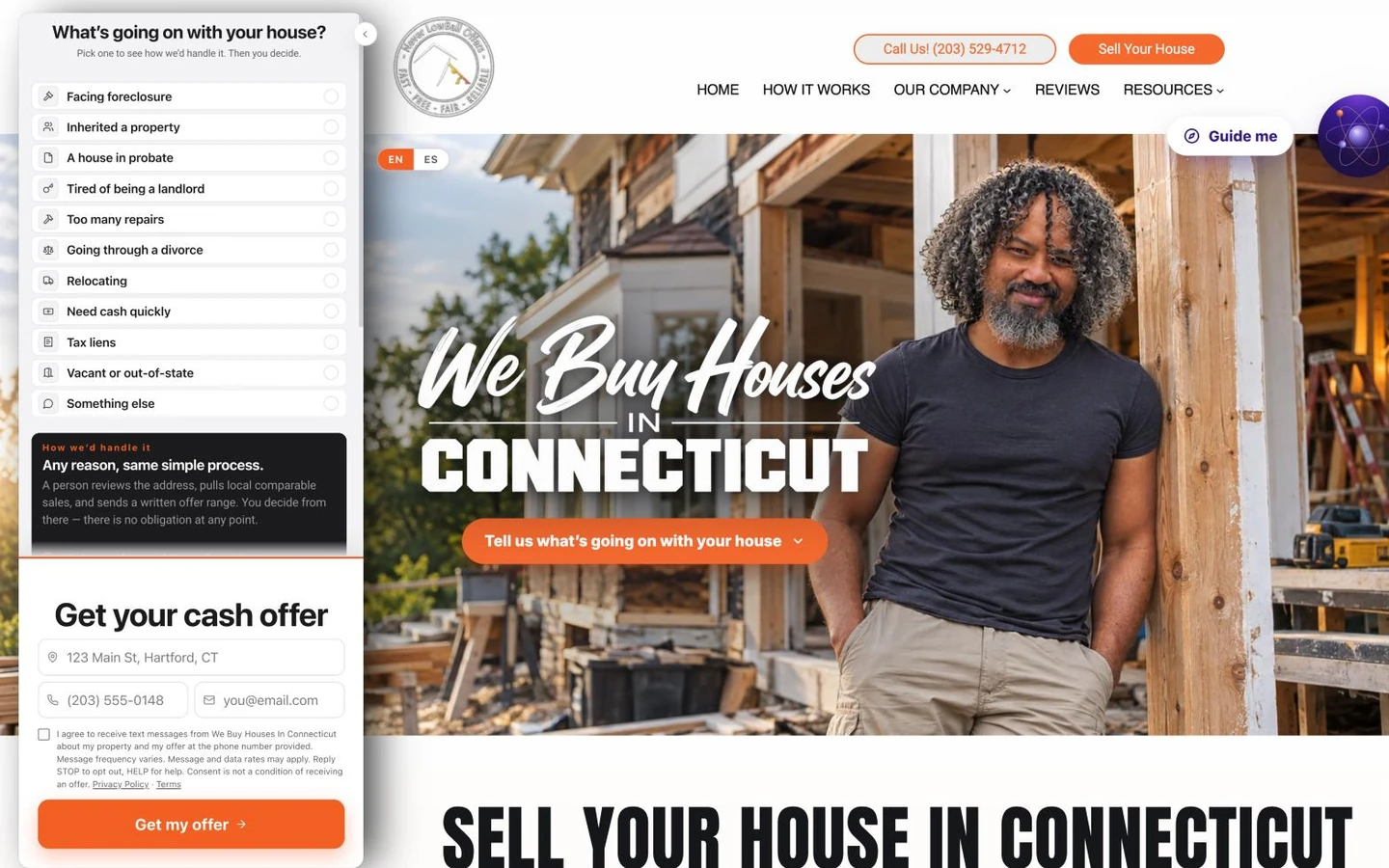
I didn't want either, so I built Apex Vivus: a site that's yours and nobody else's, fully supported, with your leads, deals and follow-up in the same place. Then I moved my own site first. webuyhousesinconnecticut.com came off Carrot with the same move this page describes. Have a look at it below.
Jerryll Noorden, investor since 2016
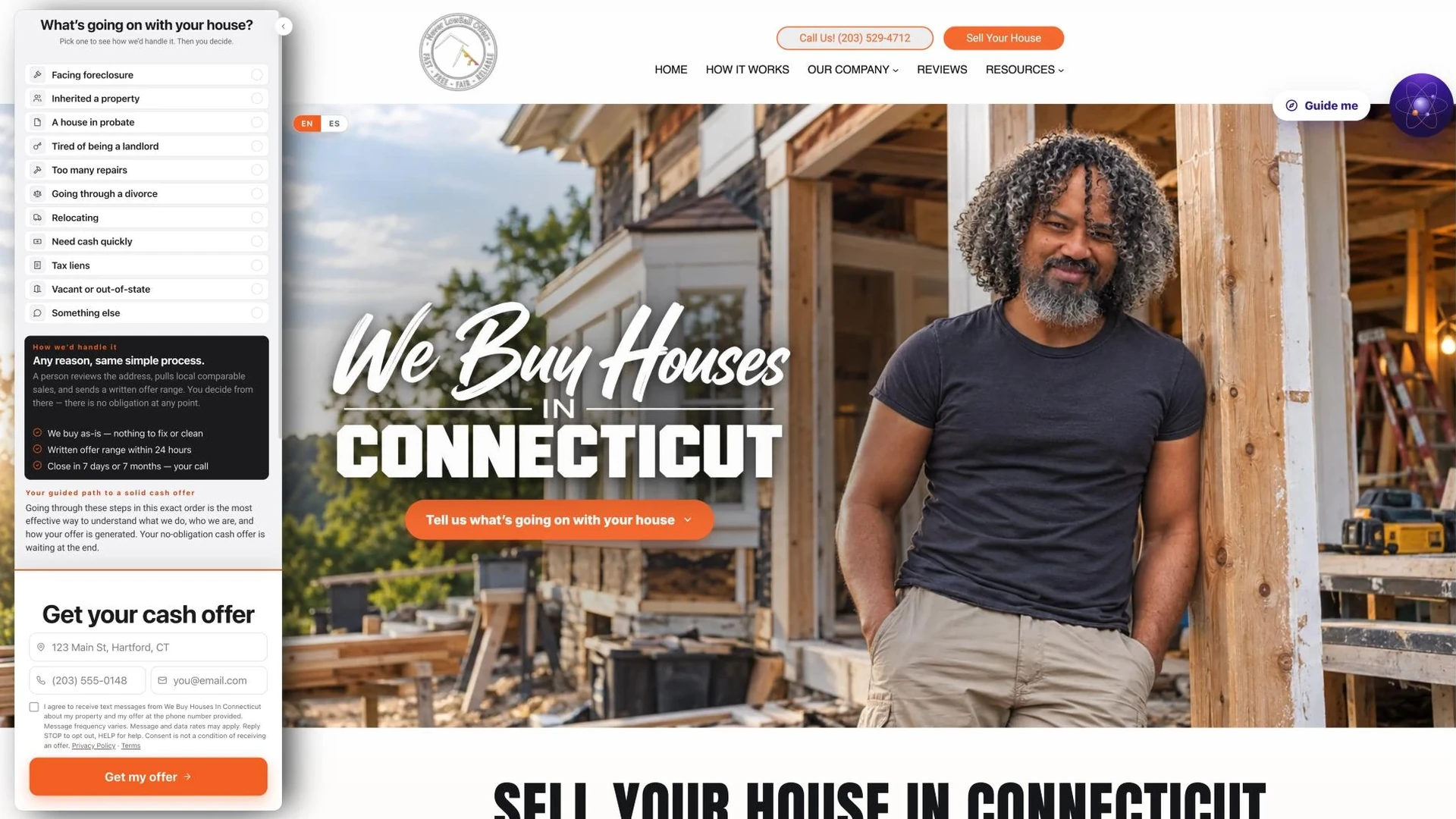
This is the real site, live. Scroll inside it, or open it in a new tab ↗
Don't stop at the homepage. Open the pages behind it, the way a seller would, and see how deep an Apex Vivus site goes:
Every Apex Vivus site is crafted for the three pillars of conversion.
A seller decides in seconds whether to trust you with their house. Every page of an Apex Vivus site is built to win that decision, on three things, and to be found in the first place, by Google and by AI.
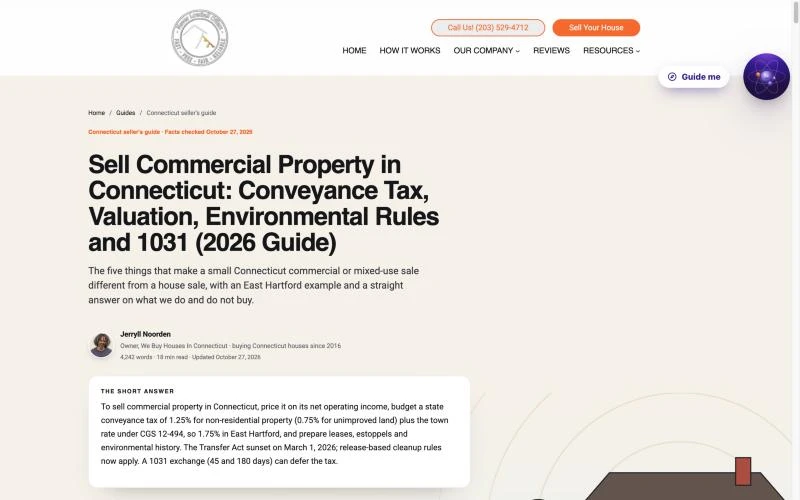 1CompetenceDo you know what you're doing? Guides that answer the seller's questions better than anyone in town.
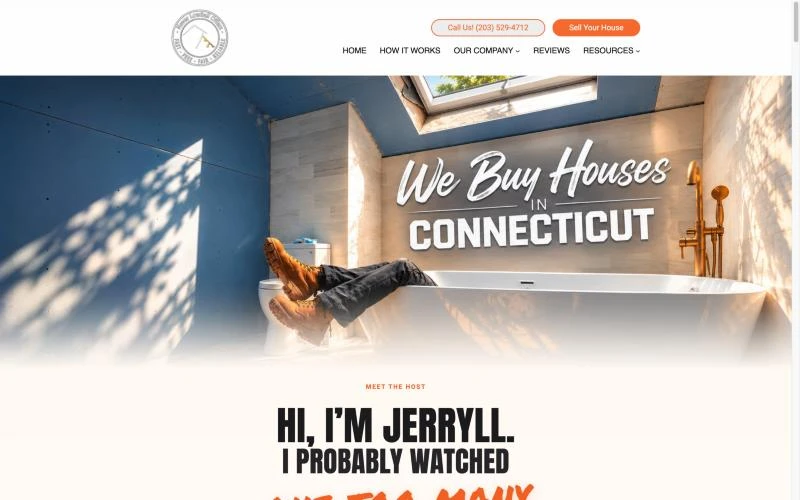 2PersonalityAre you someone they'd want to deal with? Your face, your humor and your story, not a stock photo of a handshake.
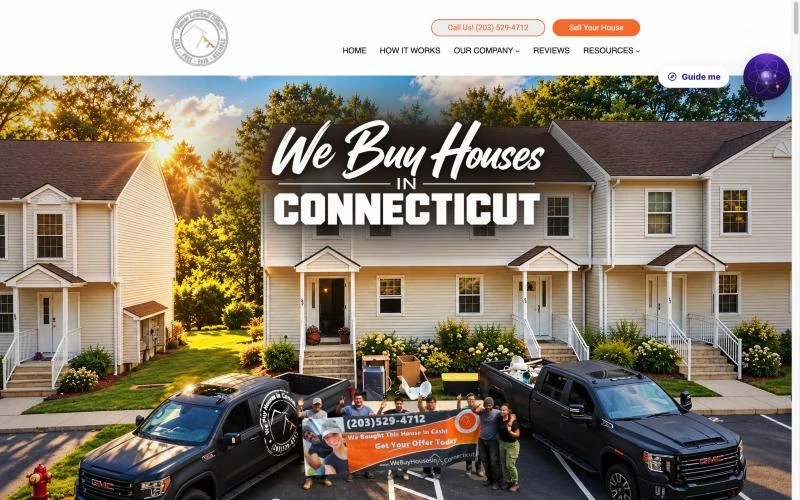 3CredibilityCan they believe what you say? Proof: your real crew, your real trucks, real houses you bought, real reviews.
All three from Jerryll's own site, webuyhousesinconnecticut.com.
Four photos and a logo. A site with you in it.
Watch a site being made: upload four photos of yourself and your logo, and Apex Vivus turns them into professional pictures that fit your design, fills every page with your business details and does the technical work. Your Carrot words then go into it.
Will I lose my Google rankings?
No. If anything, they are more likely to go up.Google remembers each of your pages by its web address, like yourwebsite.com/sell-my-house-fast. Every page keeps its address and its words, so when Google comes back, it recognizes the same page, now in your new design. The move alone gives it no reason to change your spot. (Your spot can still move the way it always could, if a competitor does better. The move itself doesn't push you down.)
That is what keeps your rankings safe. But Google also notices how visitors use a site: whether they stay, scroll and act, or leave. A site that looks better, says more, has a SmartForm sellers actually answer and tools they find useful keeps people longer, and from what we have seen moving sites, rankings are more likely to rise than fall. Judge for yourself: further down this page, scroll through Jerryll's old Carrot site and his new one. Which would you rather spend time on?
Before you switch, Apex Vivus double-checks every page against your Carrot page, and won't let you switch until everything matches.
Will my pages and blog posts come over?
Yes. Word for word, or rewritten into something far better.Every page and blog post comes over with its web address and the date you first published it, and every picture is copied, so nothing breaks when you cancel Carrot. You choose, page by page: move it word for word, or let Humphrey, our AI assistant, rewrite it as it moves into a longer, search-optimized guide, with facts, tables and answers that sellers, Google and AI search look for. Below is Jerryll's own post on selling a house during a divorce, before and after.
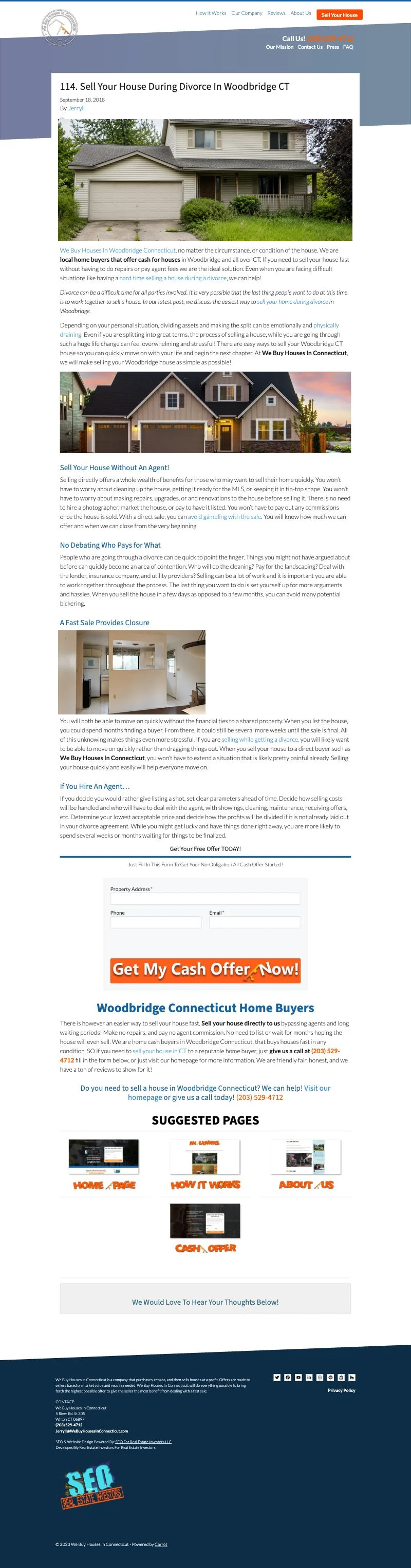

Scroll inside each window, all the way to the bottom. Two pictures missing from the archived Carrot copy were filled in.
What happens to my leads?
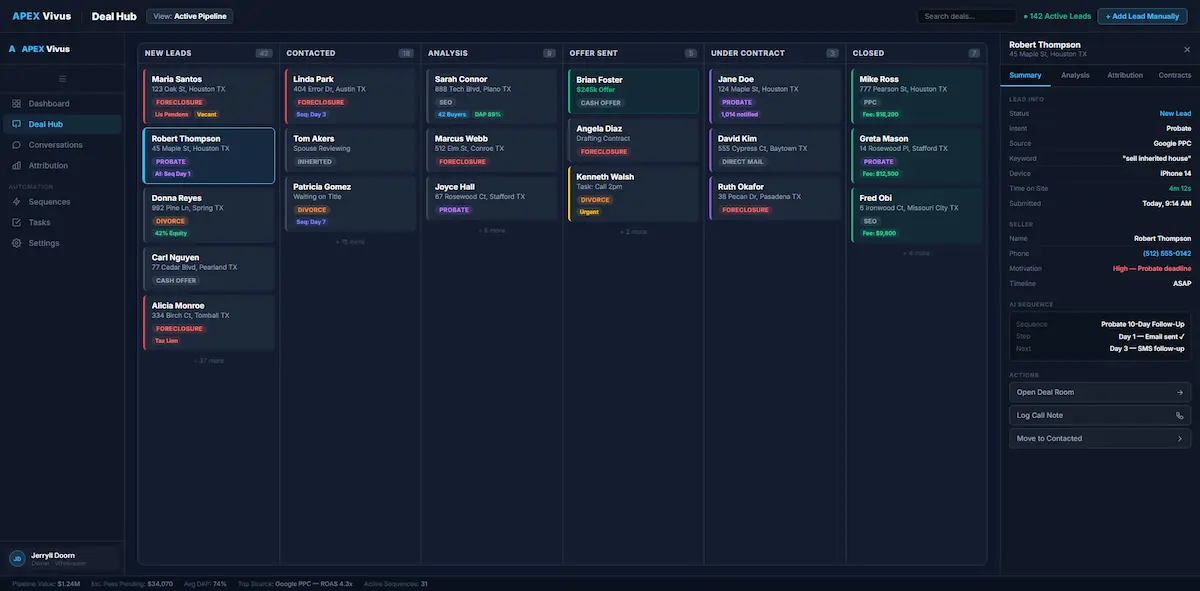
Every one of them comes with you, and you can do far more with each one.Bringing them over takes one step: download your leads from Carrot (it's one button there) and drop that file into Apex Vivus. Every lead lands in your new lead list. Nobody gets a text or an email when you bring them over, and nobody is added twice.
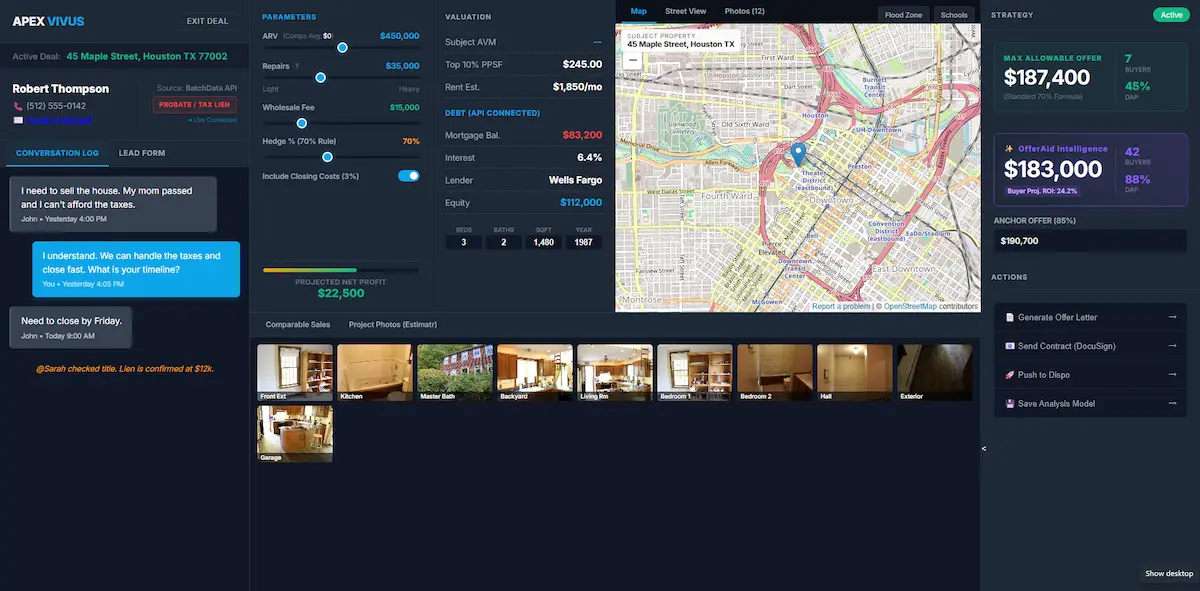
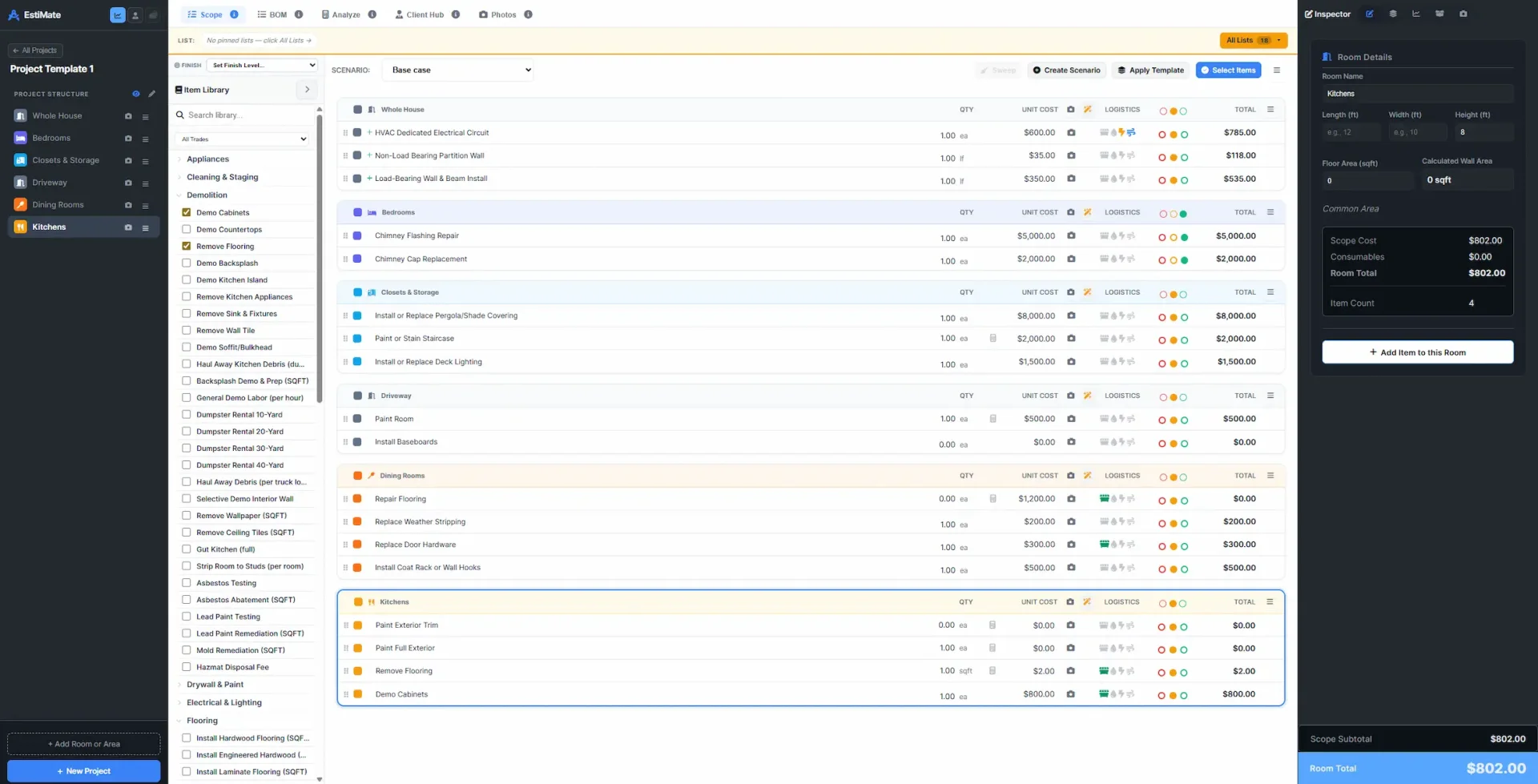
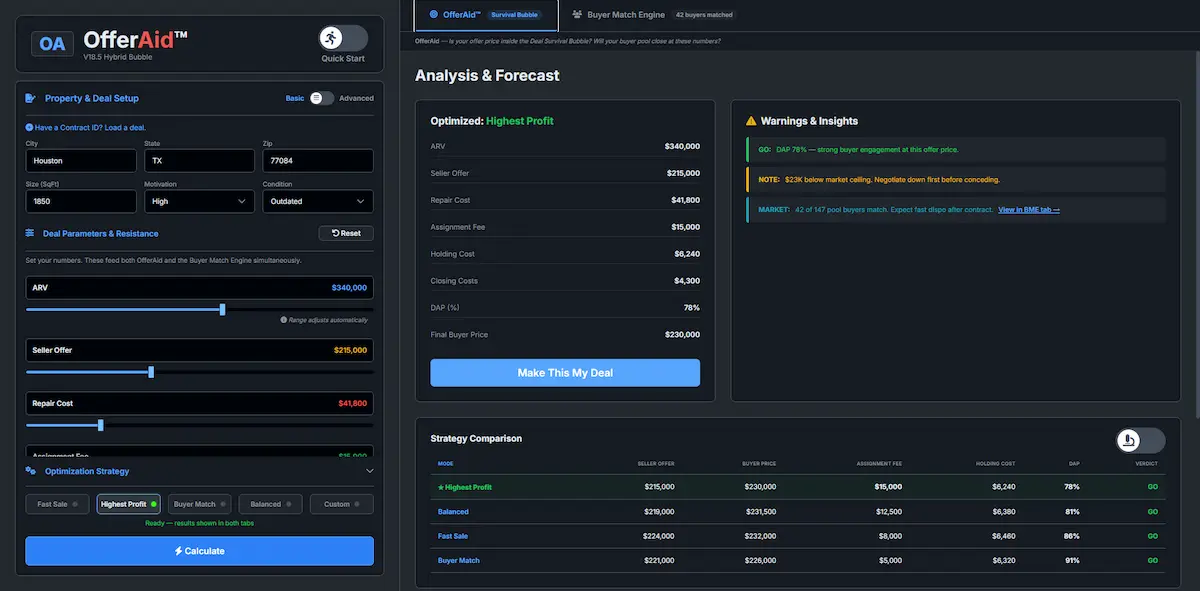
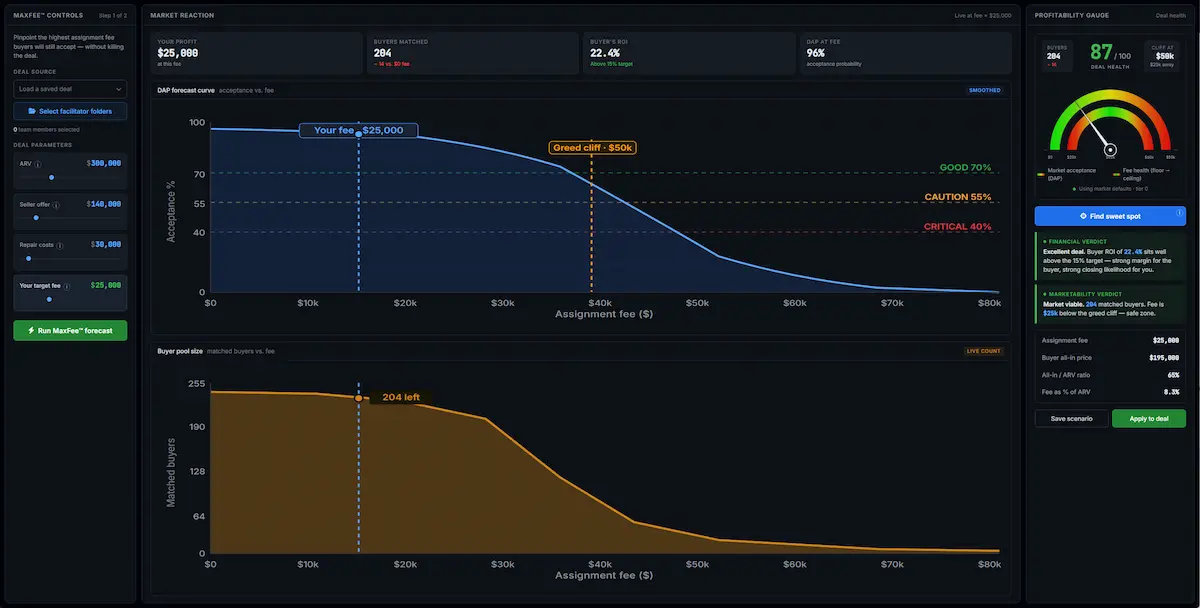
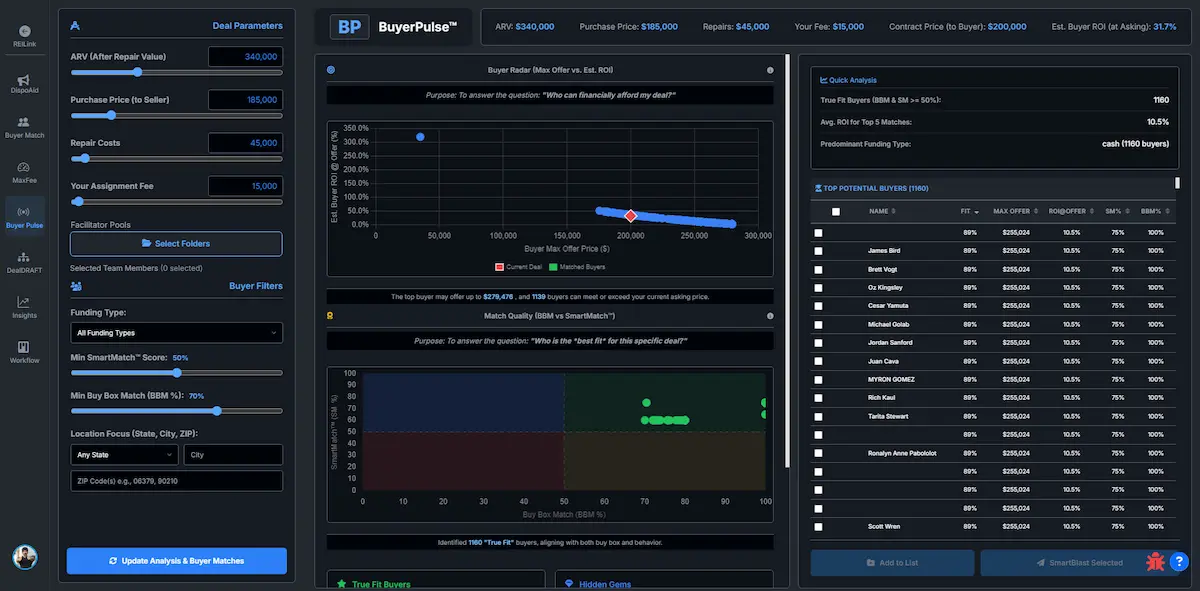
What changes is what you can do with them. On Carrot, a lead is a name and a phone number in a list. In Apex Vivus, every lead has its own buttons that take it from first call to signed deal. Calling a seller from a CRM isn't new; Carrot's CRM does that too. What's new is everything after the call: knowing what the house is really worth, pricing the repairs from your walkthrough photos, building an offer from what cash buyers actually pay, and pushing your fee as high as it can go before a buyer walks.
What each button on a lead does:
Here is what those buttons open.
These are the real screens. Say Maria Lopez inherited a house in Hartford. Her Deal Room shows what the house is really worth. You walk through it, take pictures, and EstiMate turns them into a priced repair list. OfferAid builds her offer backward from what cash buyers pay, MaxFee tells you how big your fee can be, and Buyer Match shows who will buy it.
And behind every lead:
Will my site go down?
No. Your Carrot site keeps working until you switch.Your new site is built on a separate, private test address, not on your domain. Sellers keep finding your Carrot site and sending you leads the whole time. When you're completely ready, we swap: your domain points to the new site, and you cancel Carrot. You never pay for both.
What about my domain and email?
Your domain stays yours. Your email keeps working.Your domain is your web address, like yourwebsite.com. You keep it. Today it sends visitors to Carrot; when you switch, it sends them to your new site instead. That's one setting where you bought your domain, and we show you exactly what to click and check it for you. Your email is a separate setting and is not touched.


Scroll inside each window, all the way to the bottom.
Bought your domain through Carrot? Ask Carrot to hand it over to you first, or book a call and we'll help.
Will my other tools still work?
Yes. Connect them once, and they keep working.If your Carrot site sends leads or visitor numbers to other tools, connect those same tools to Apex Vivus once and they work on every page. These are the ones investors use most:
 ZapierSends every new lead to your other apps
 MakeSends every new lead to your other apps
 Google AnalyticsSee how many people visit your site
 Google Tag ManagerKeeps your tracking codes working
 Facebook (Meta)Your Facebook ads keep counting leads
 Google AdsYour Google ads keep counting leads
 Google Search ConsoleTells Google about your site. We set it up
 TwilioText sellers from your own number
 Your emailSeller emails next to your texts and calls
My forms, my menu and my phone number?
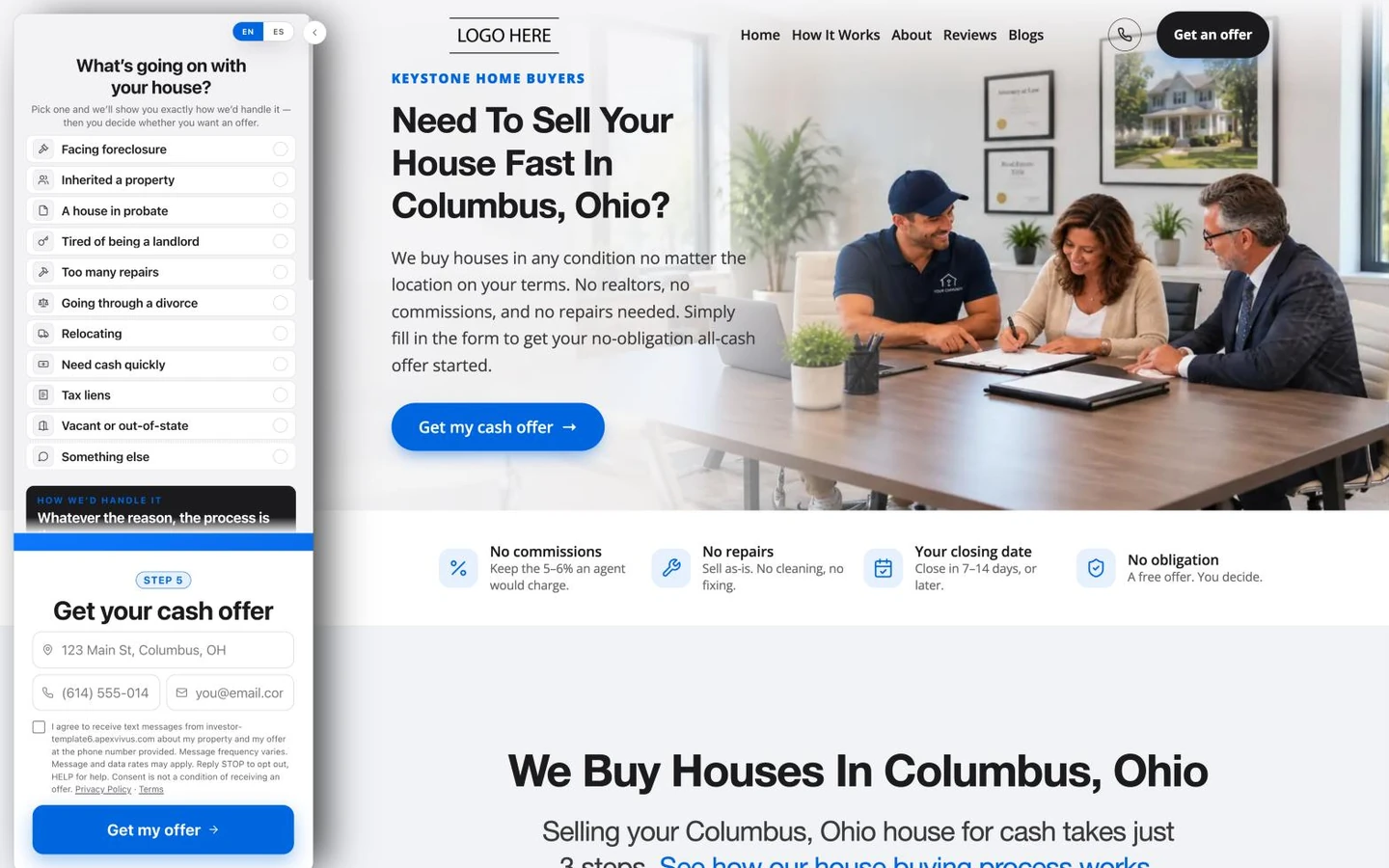
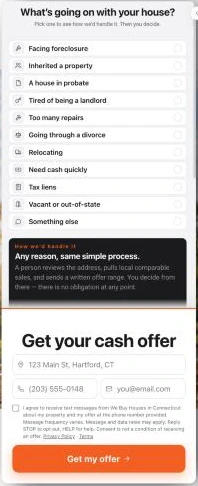
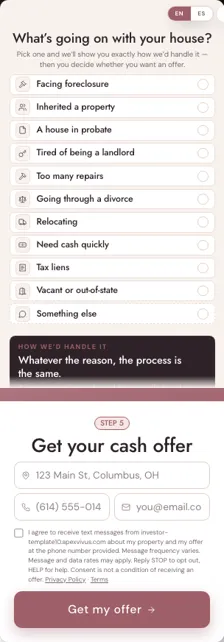
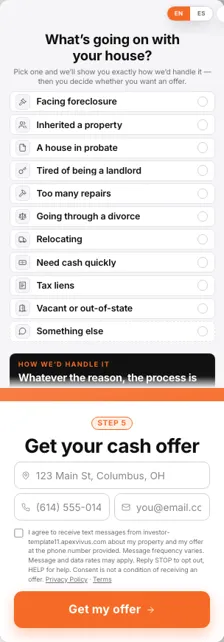
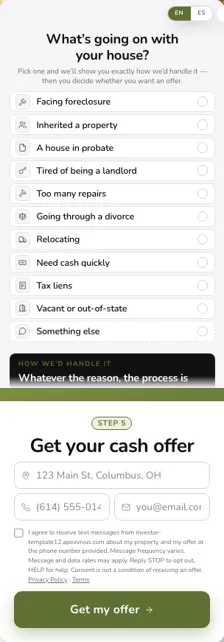
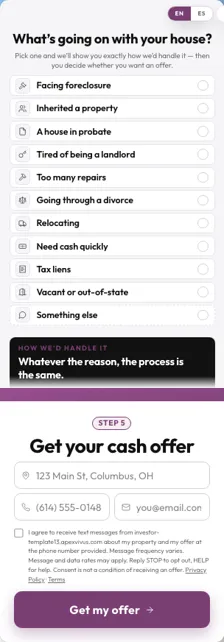
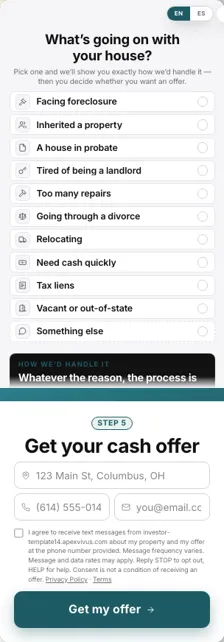
Your menu and phone number come across. Your form gets better.Your menu is rebuilt with the same links in the same order, and your phone number comes over with your words. Your old form is replaced by a SmartForm: instead of a blank form, the seller first picks what's going on with their house, and the whole page rewrites itself for that situation, its headline, its promise and its button, before they ask for their offer. More sellers finish it.
3124
The same site on a phoneScroll inside the phone to see more.
Every seller lands on a page written for them.
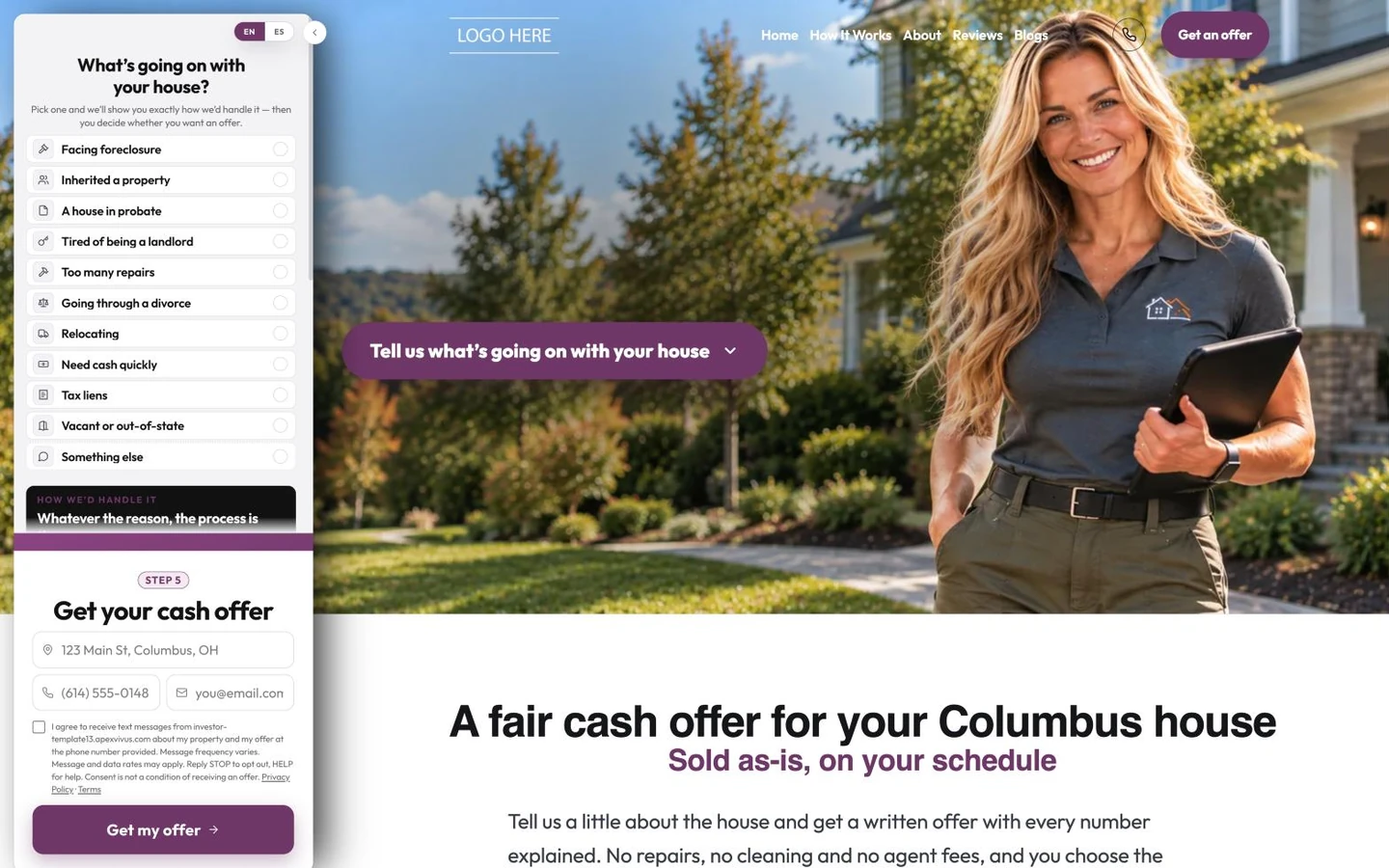
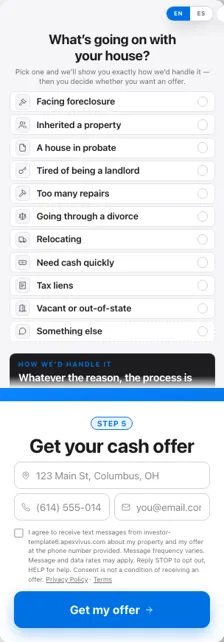
The SmartForm doesn't just ask a question. The moment a seller picks what's going on, the whole page rewrites itself for them: the headline, the promise and the button change to fit a foreclosure, a house in probate, a divorce. Nobody lands on a blank, generic page. Watch it on Jerryll's own site, on a phone and a computer at the same time. A typical Carrot homepage shows every seller the same words.
Jerryll's own site, webuyhousesinconnecticut.com, switching for each situation a seller picks.
The move is only the start. See everything Humphrey does for you and your sellers inside Apex Vivus, from the website to the deal.
Meet Humphrey →What will my new site look like?
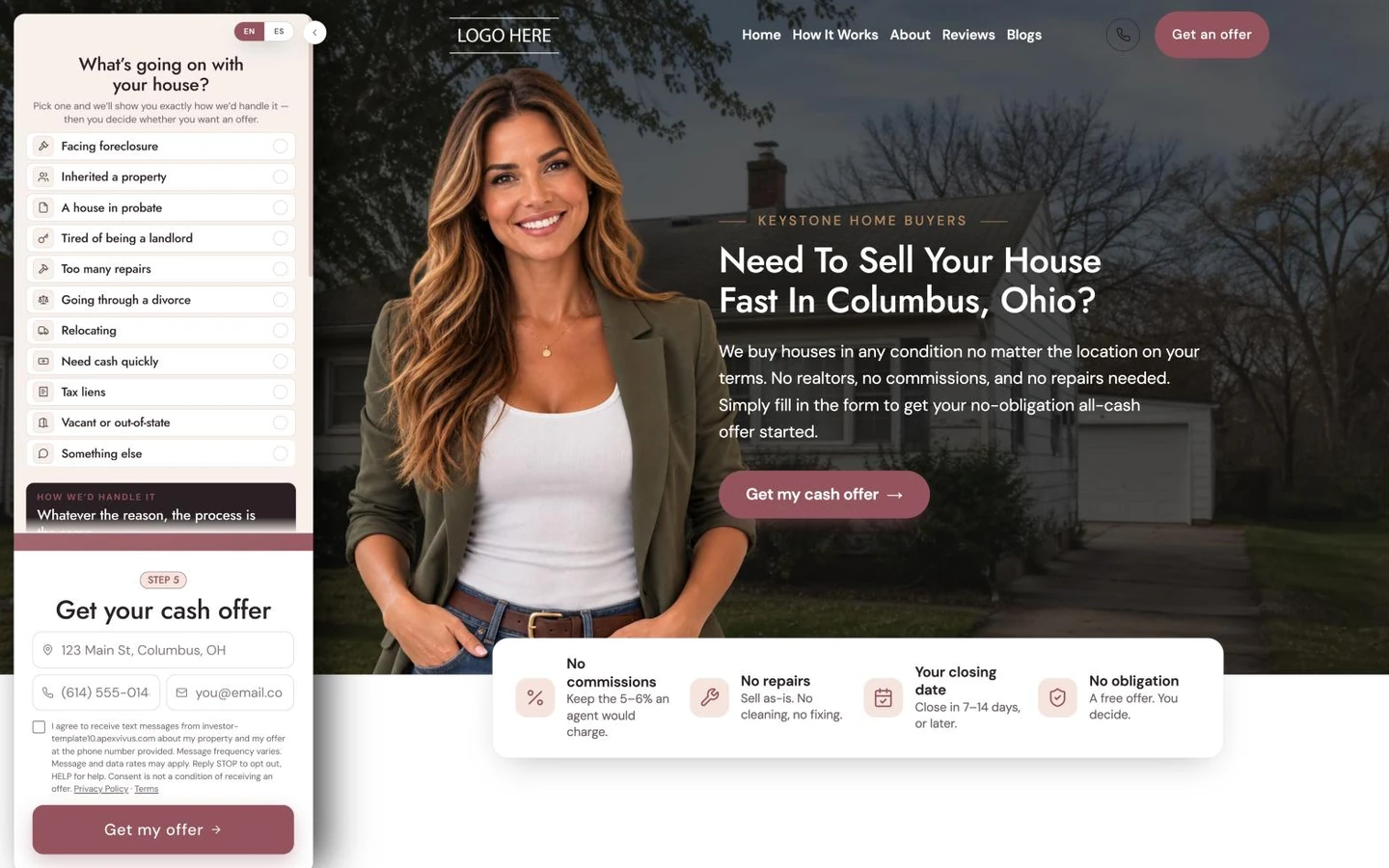
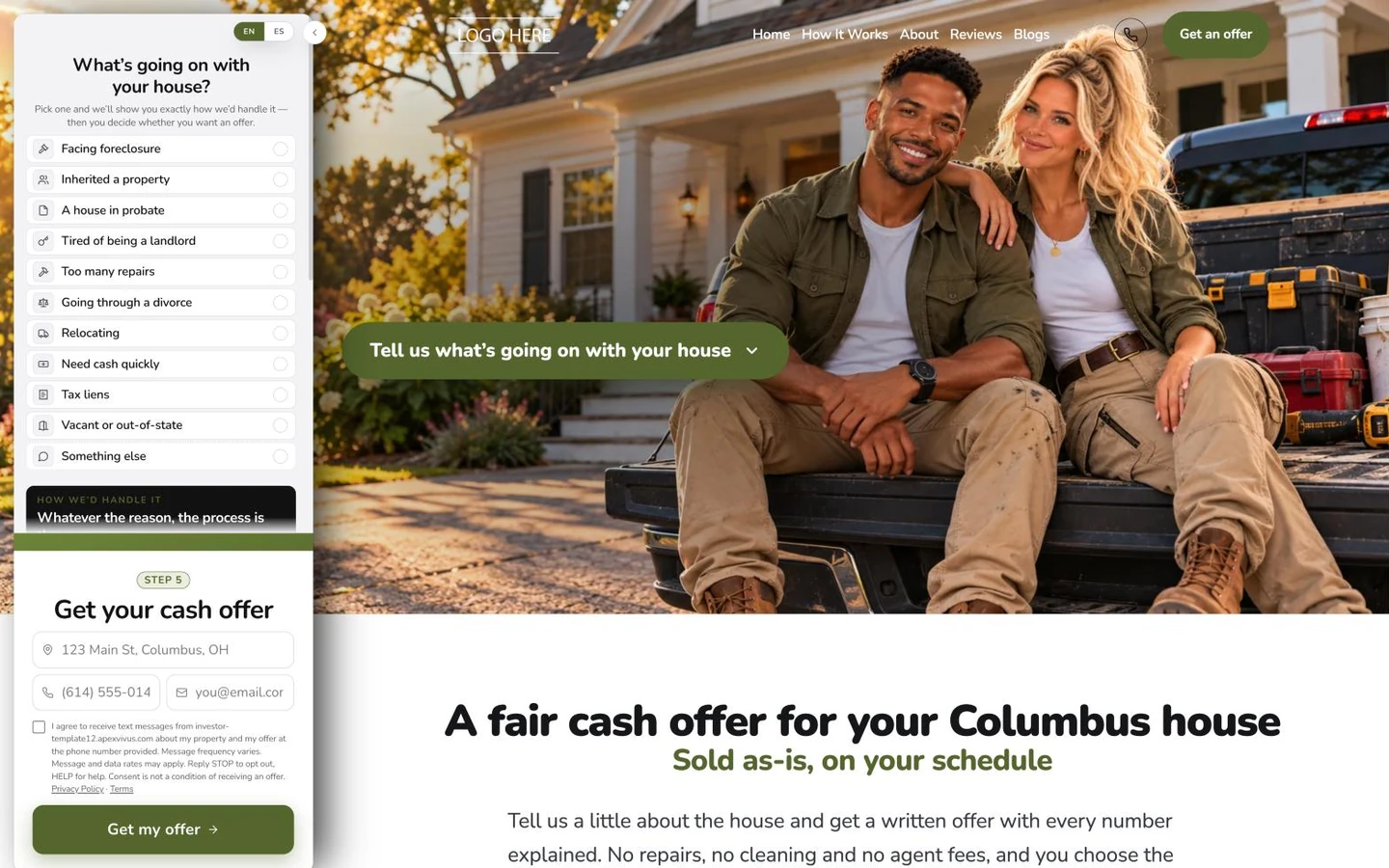
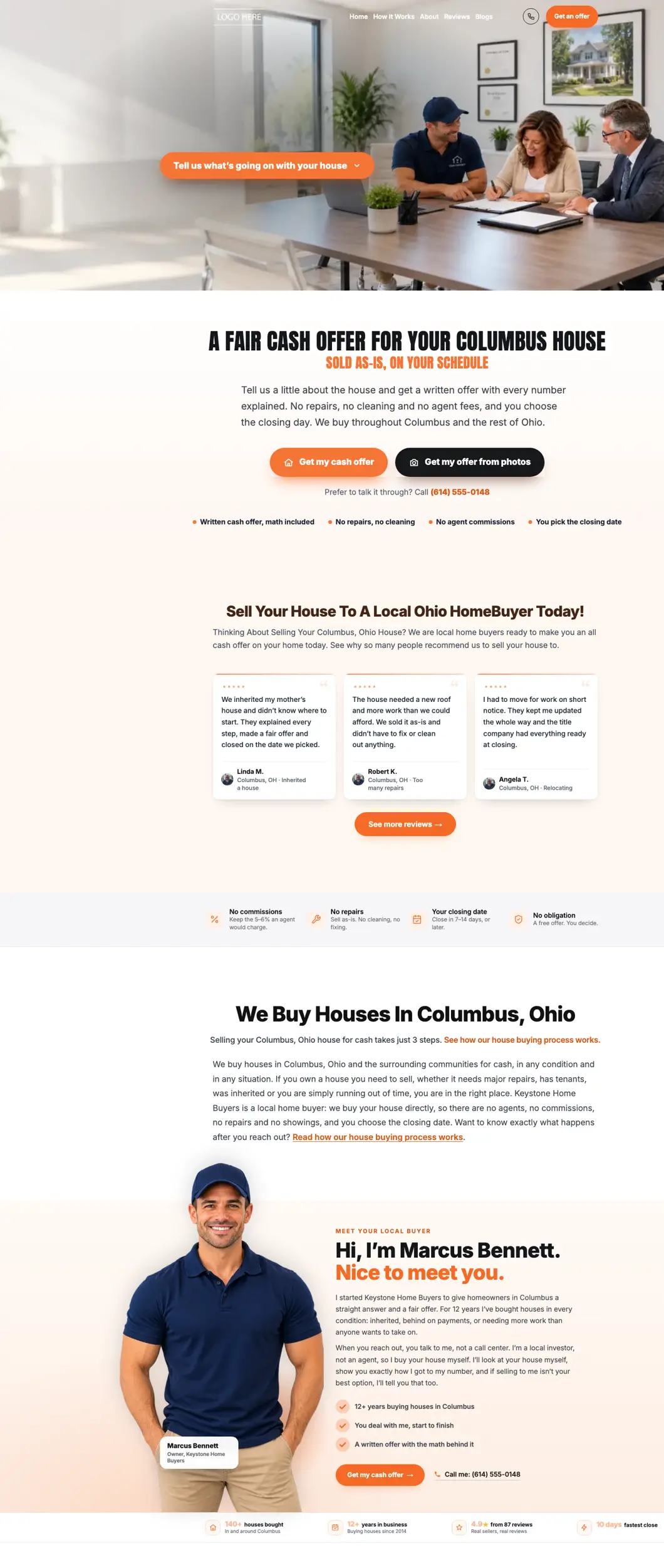
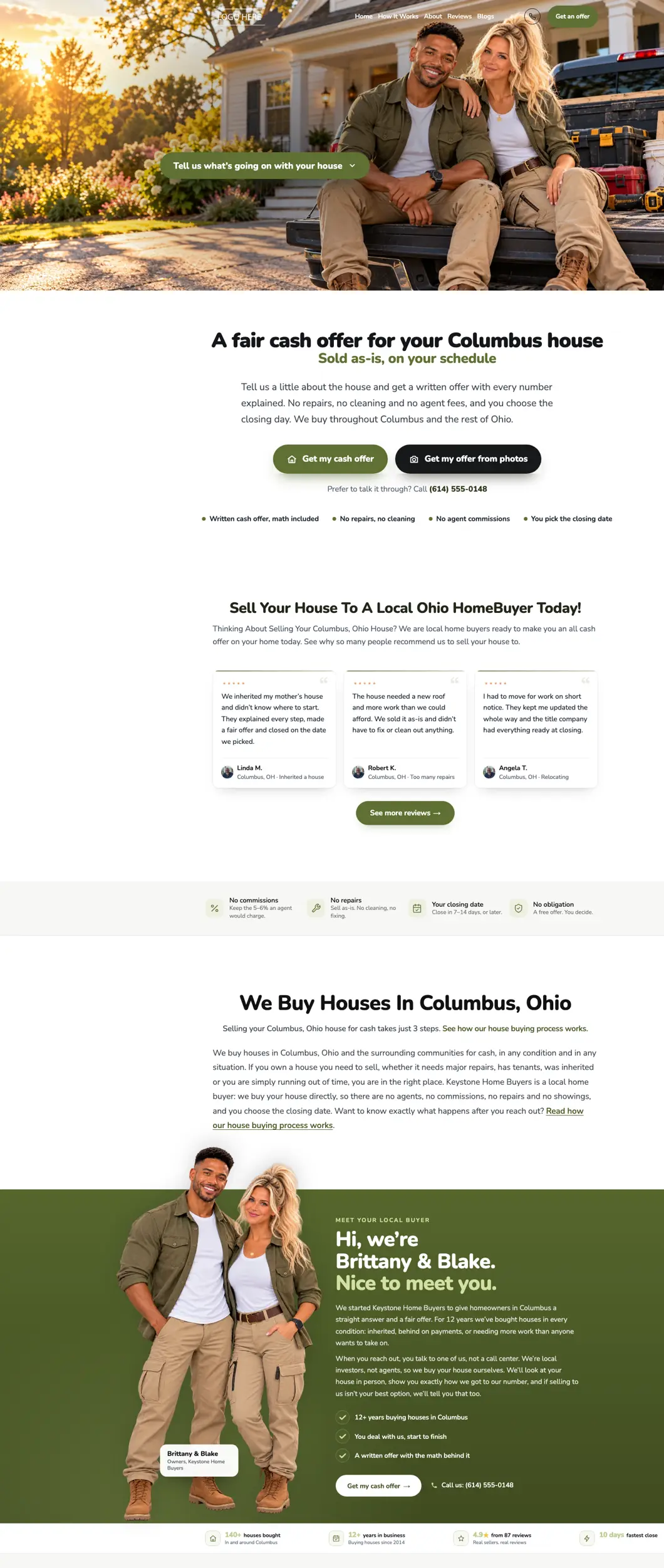
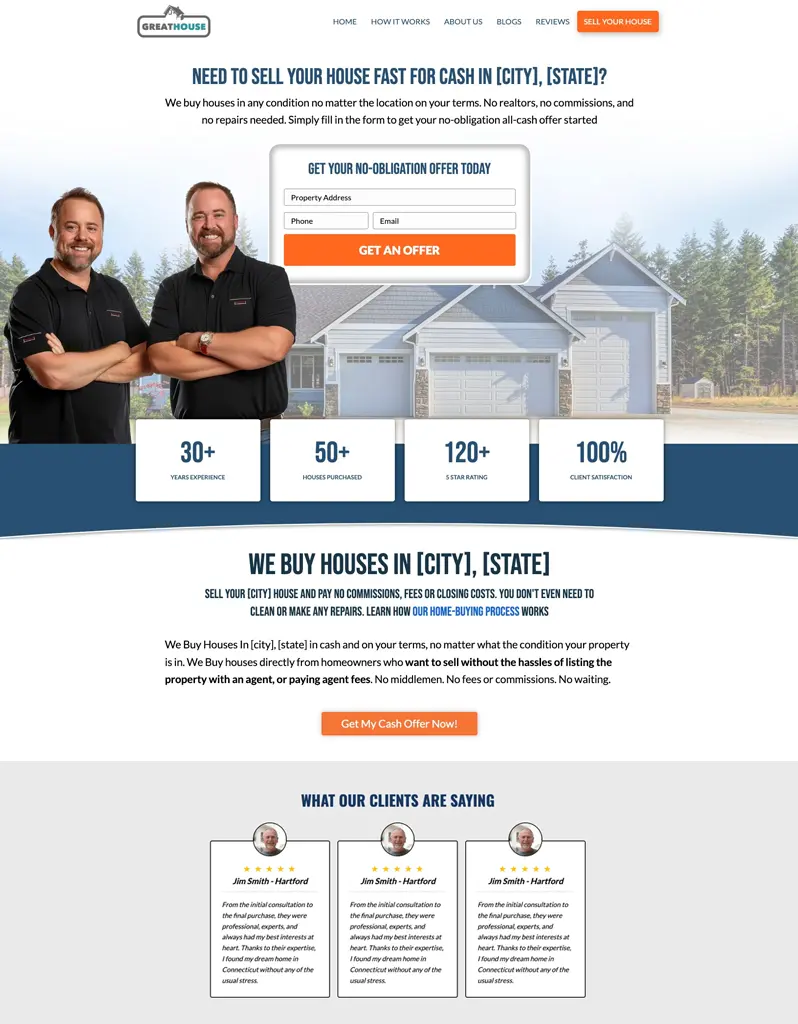
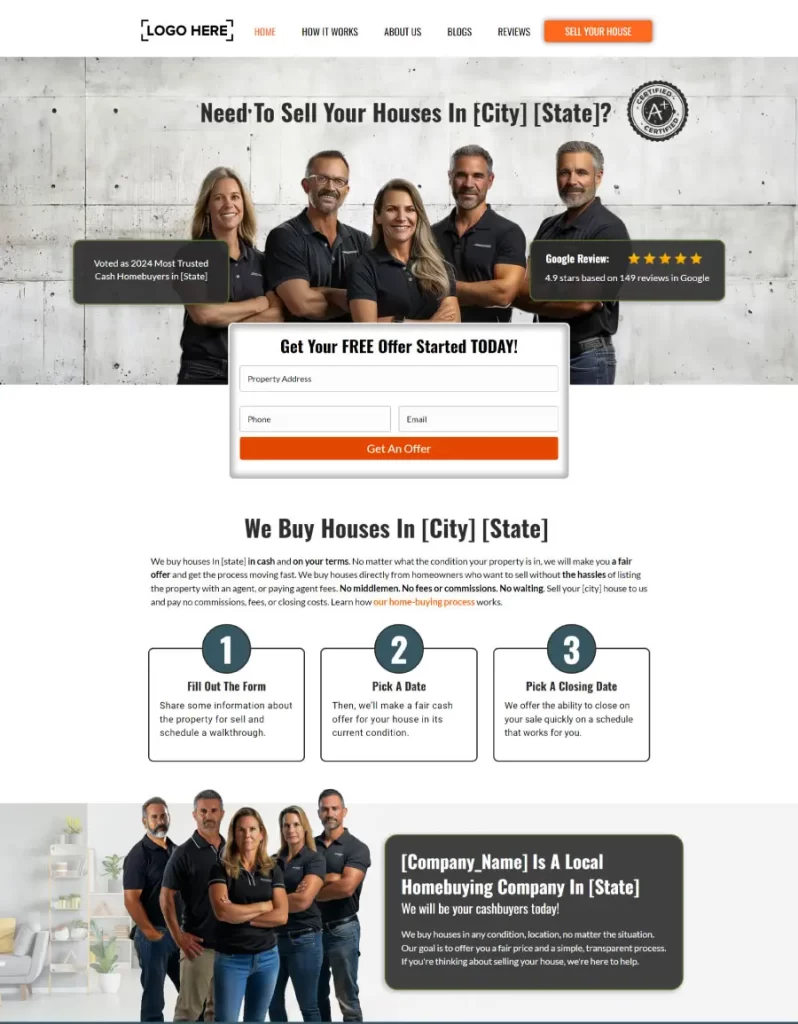
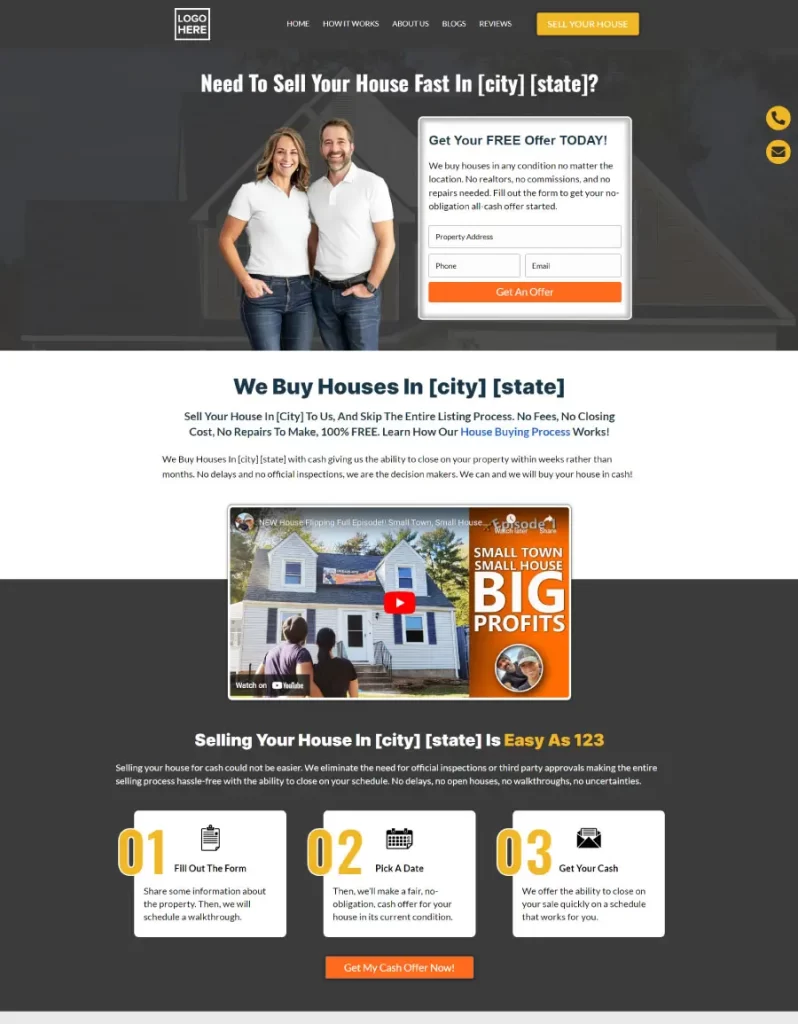
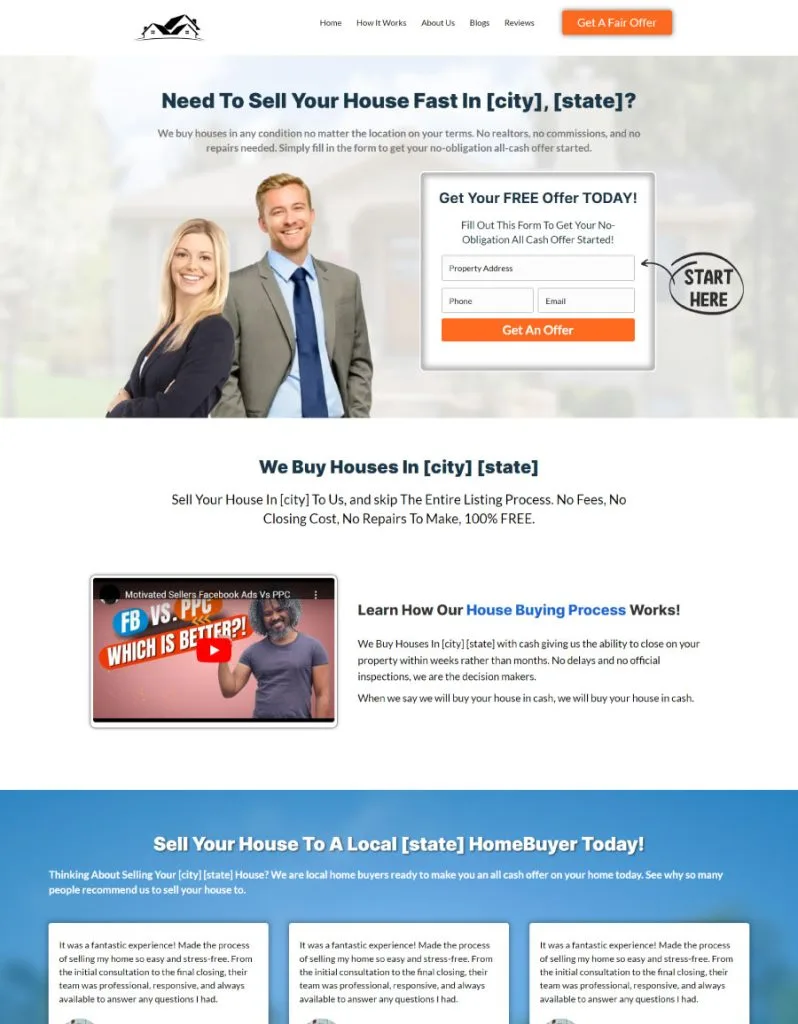
Like no other investor's site.Apex Vivus does not hand out templates. You start from a design built around a personality like yours, and it becomes unmistakably yours. A seller decides how they feel about you before they read a word: research on first impressions found that people judge a web page within about 50 milliseconds (Lindgaard and colleagues, 2006). That feeling, do I like this person, do I trust them, is a big part of whether they ever pick up the phone.
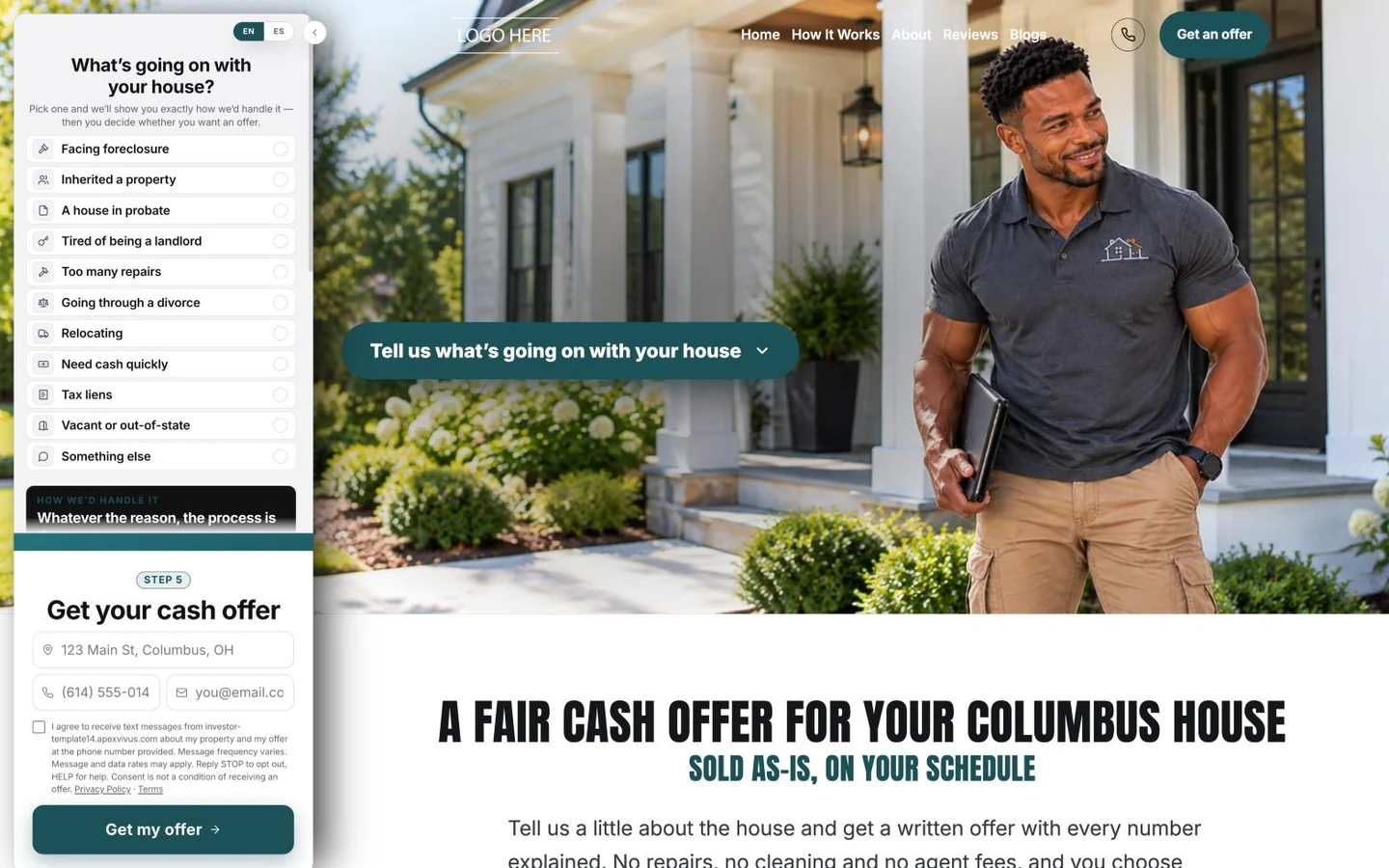
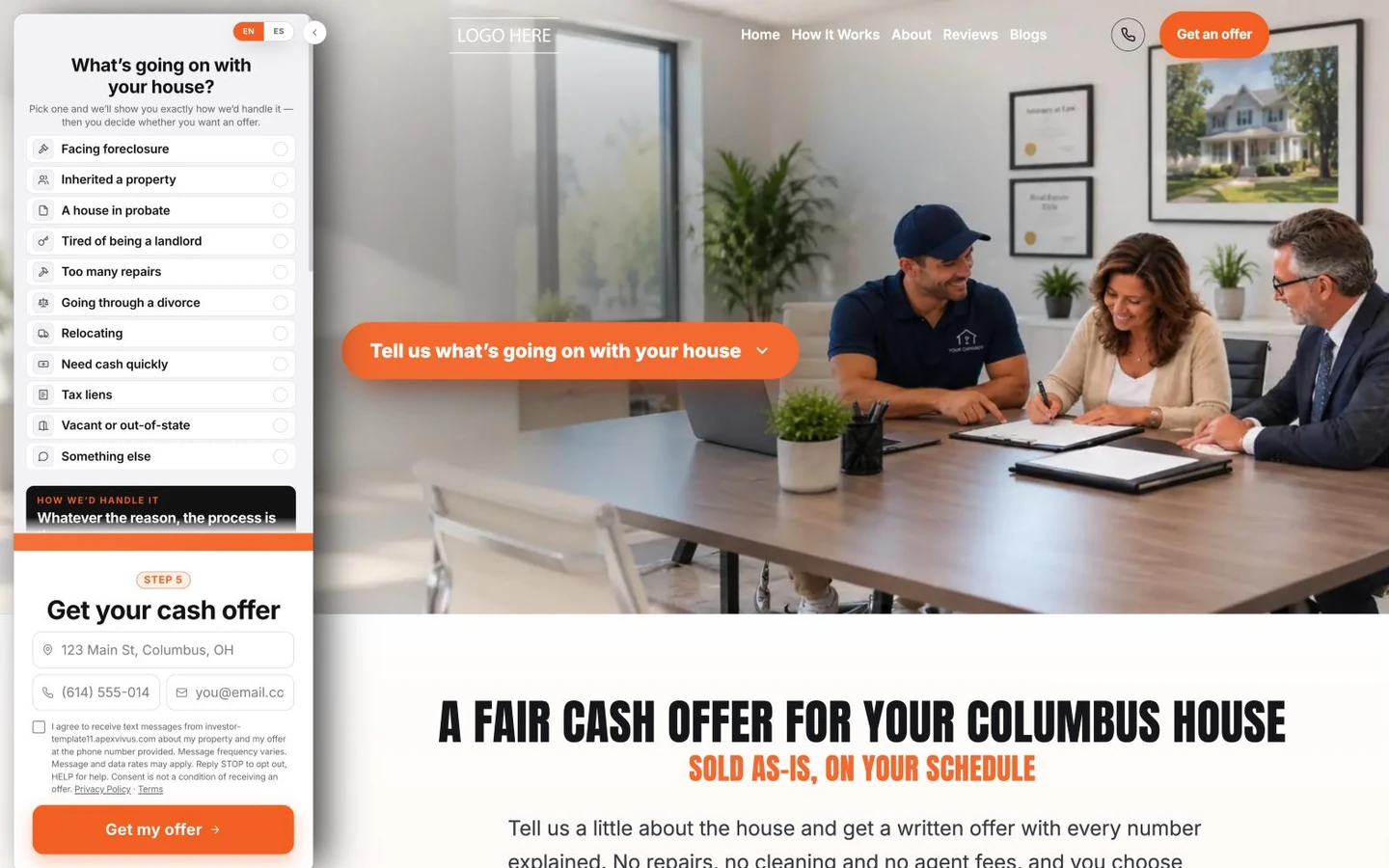
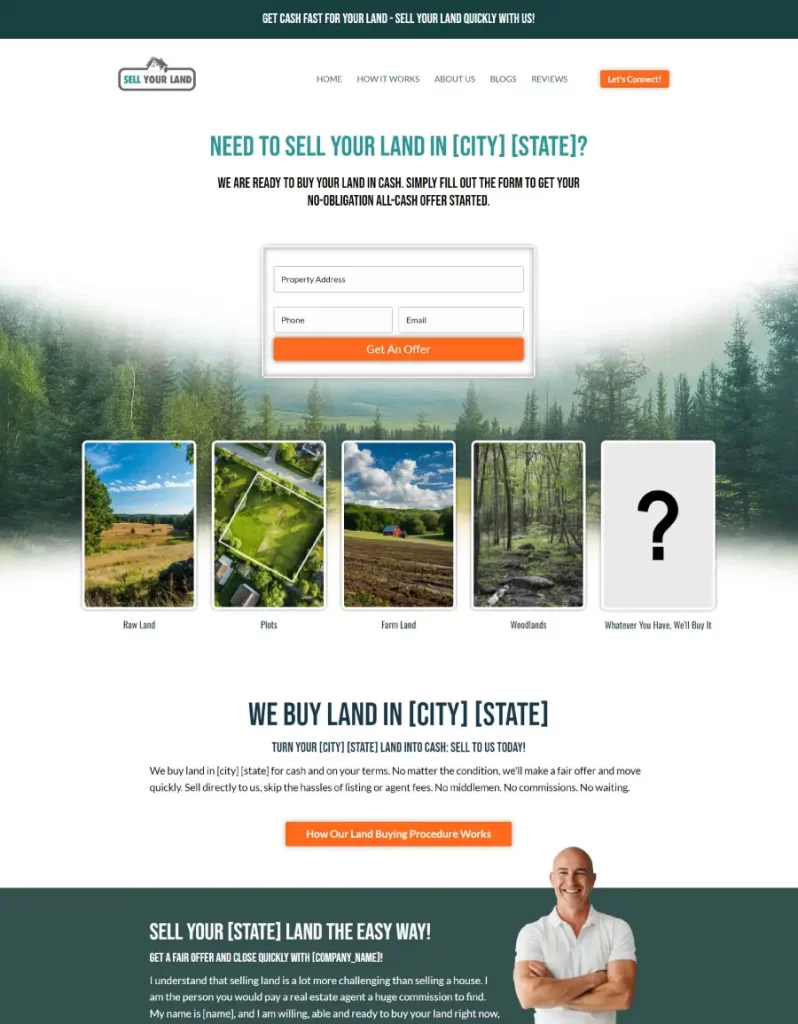
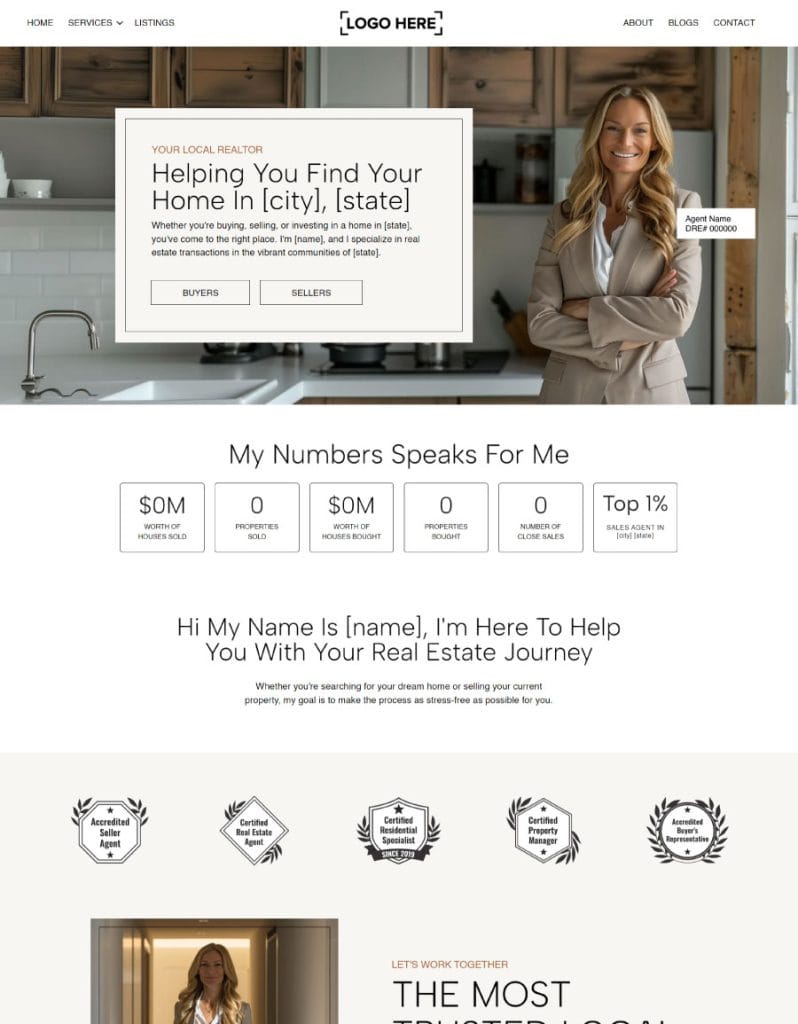
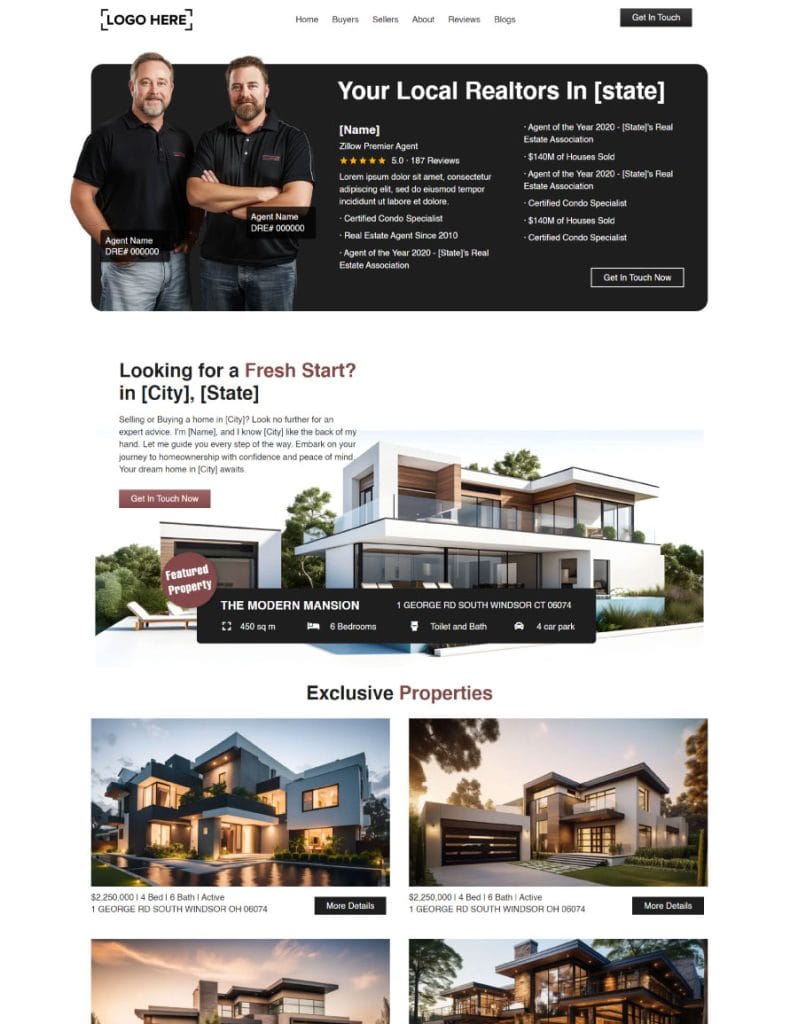
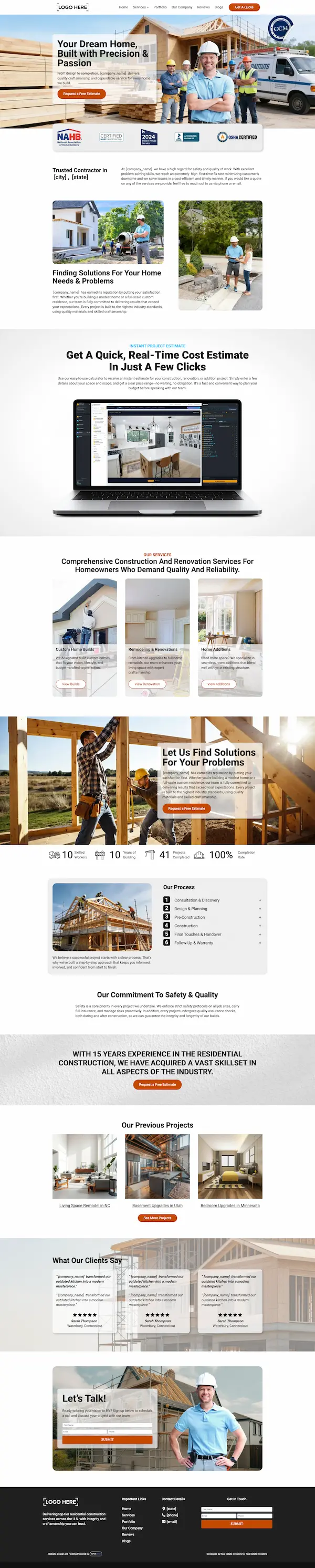
So every design is inspired by a person: male-inspired, female-inspired, couple-, partner- or team-inspired. It's not about whether you're a man or a woman. It's the attempt to bring your personality onto the website, instead of a completely detached, generic design that has nothing to do with the personality you have as a person. Your character, your energy and your vibe go into it, with your photos, your colors and your Carrot words. Some of the looks investors start from. Scroll inside each one:
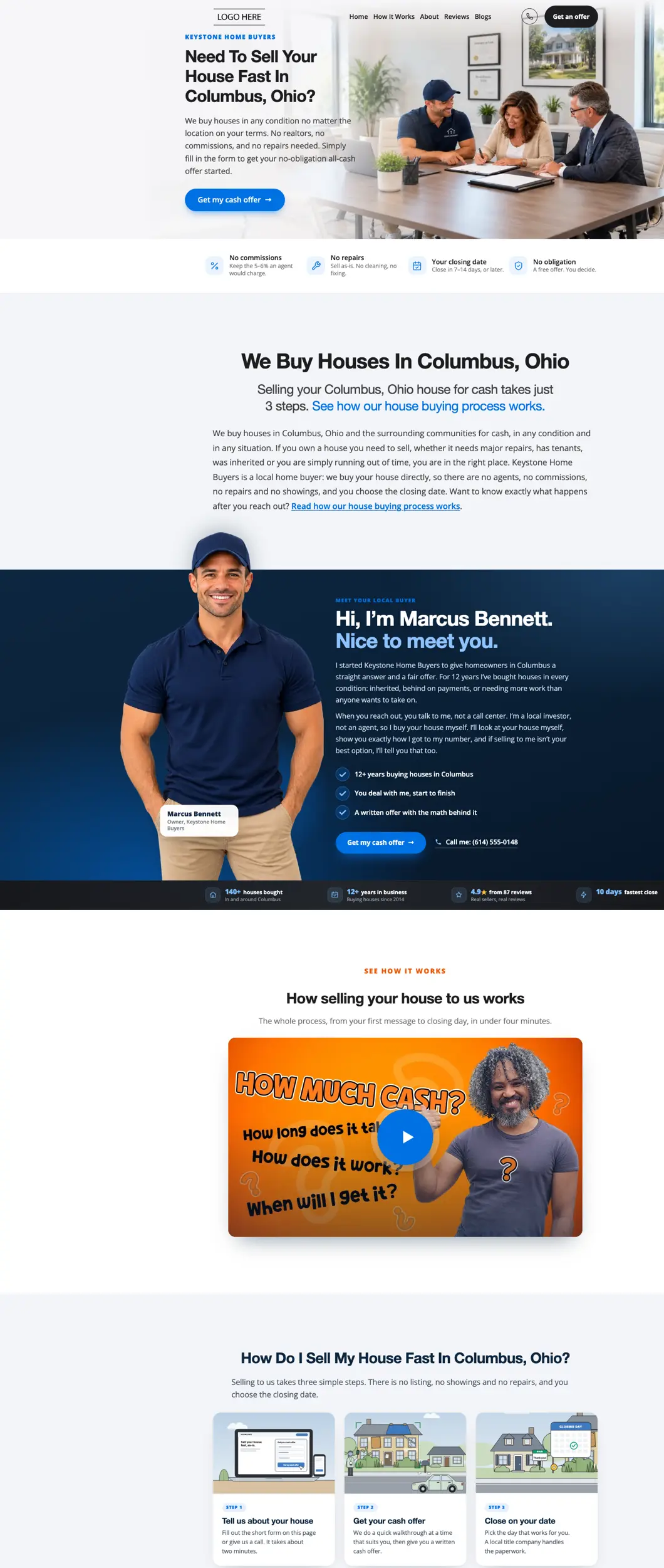
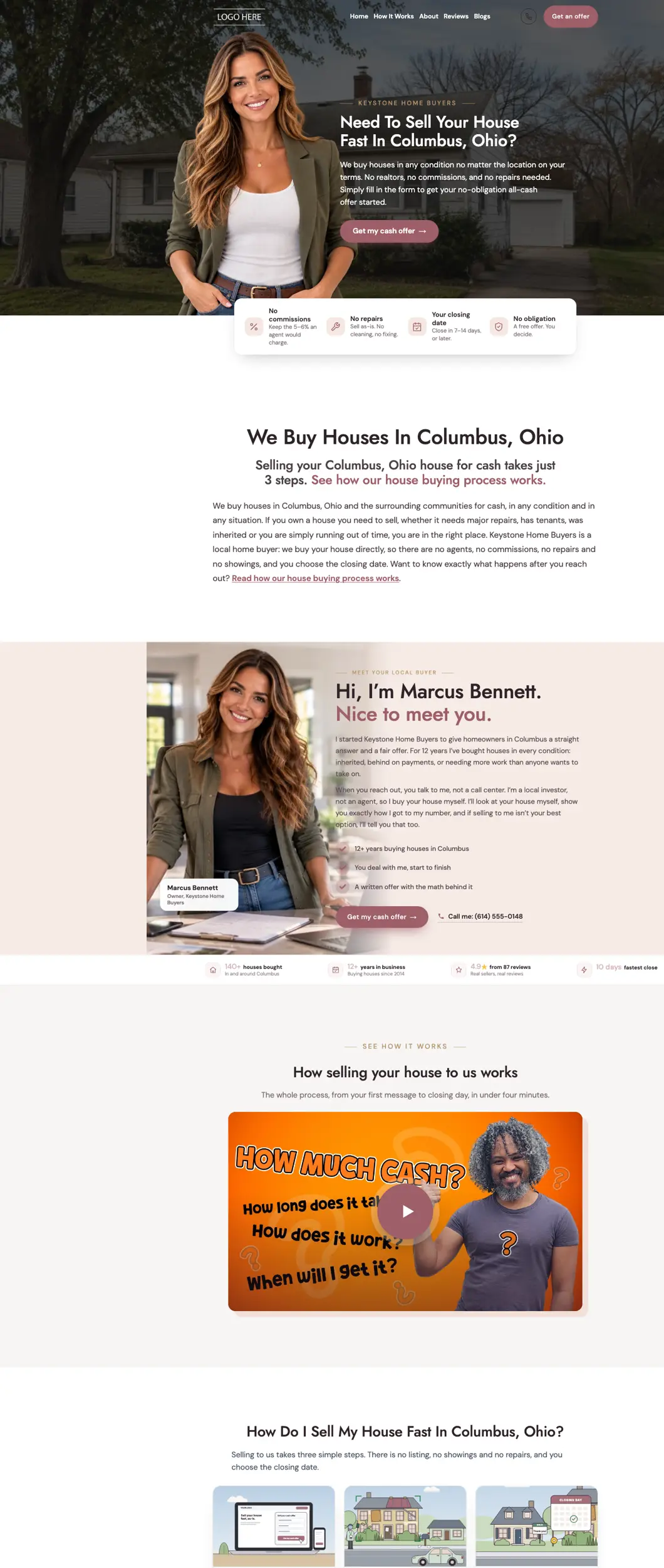
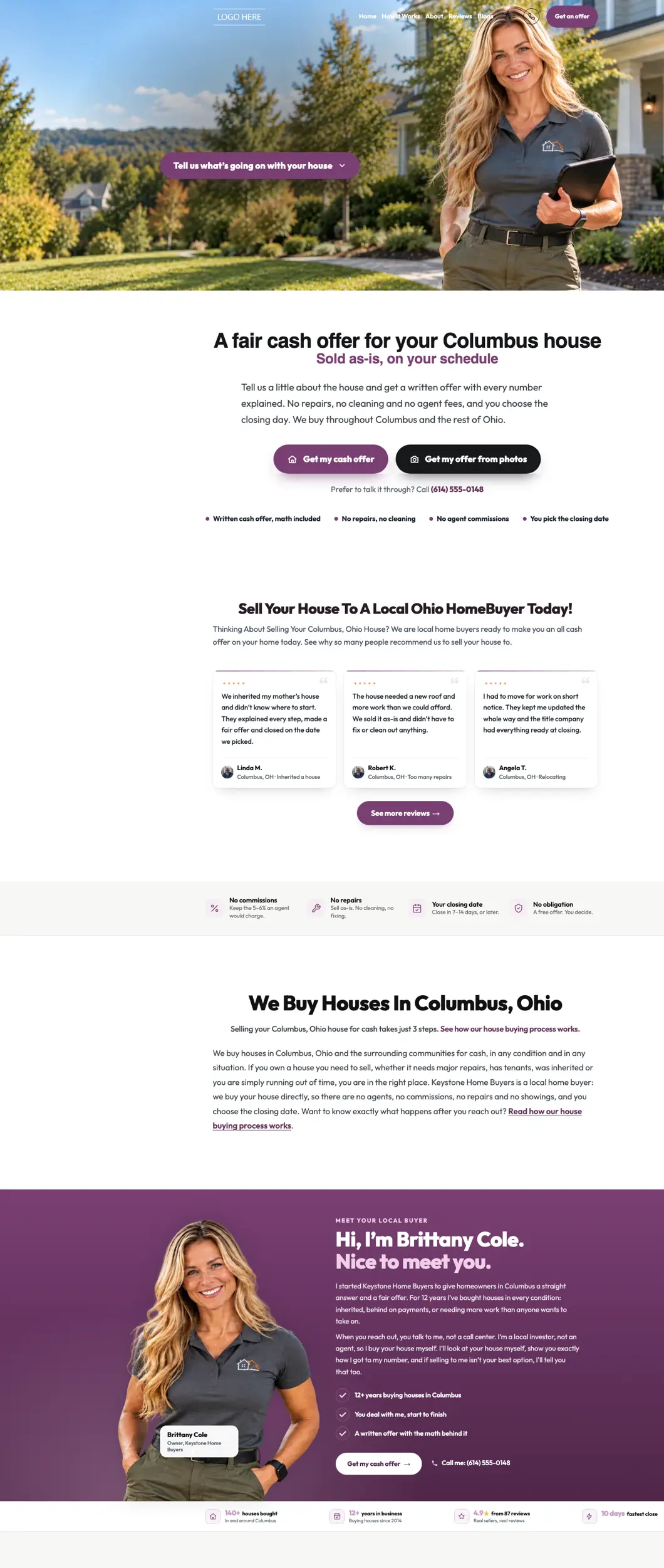
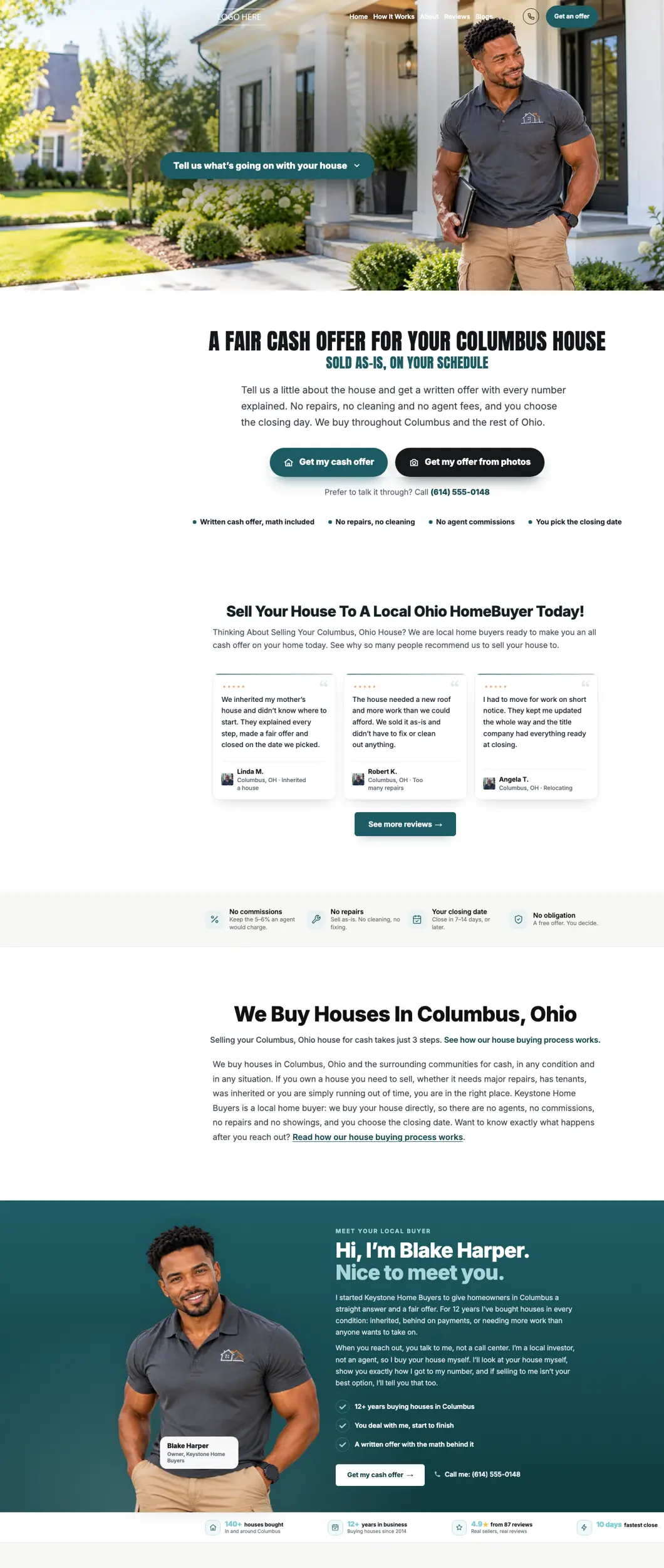
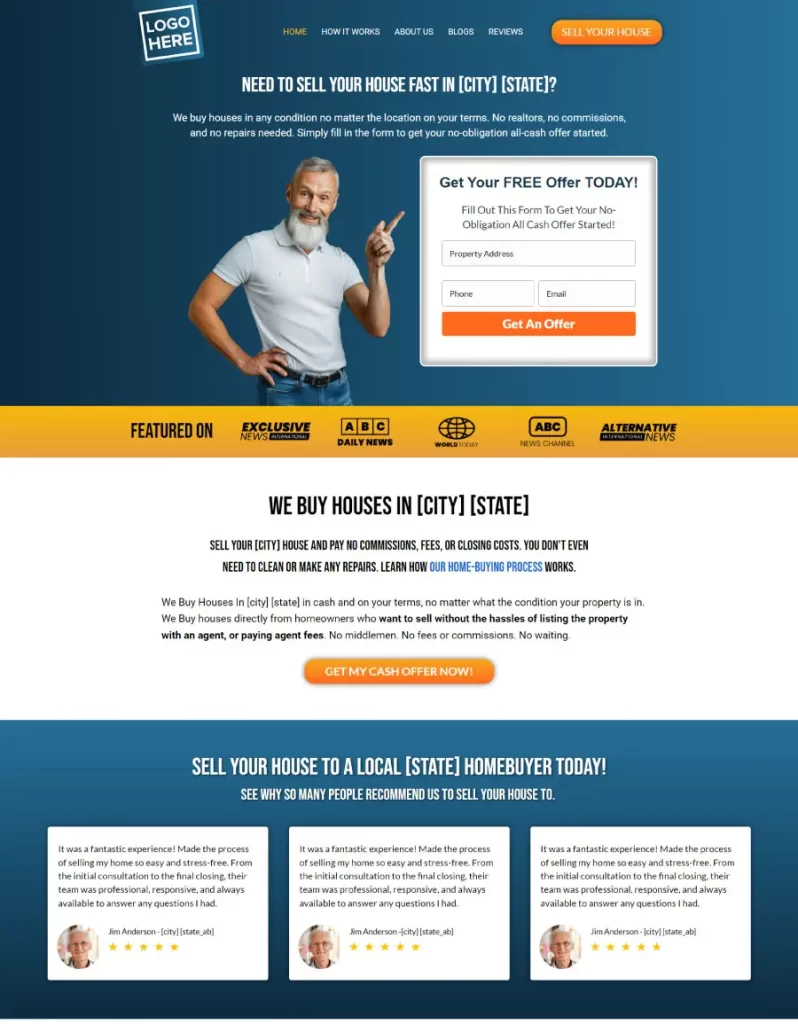
And more of the sites our team has designed and built, top to bottom. Hover over one to scroll through the whole page:
How long does it take, what does it cost, and who does it?
An afternoon, mostly free, and you are not on your own.Copying takes minutes, checking an hour or two.
Copying is free. A page Humphrey, our AI assistant, rewrites for you costs 60¢.
Humphrey walks you through it, or book a call and we do it with you.
What if something goes wrong?
Everything can be put back.Everything else investors ask.
Do I need to be technical to do this?
No. You type your Carrot web address, press a button and choose where each page goes. The only part outside Apex Vivus is changing one setting where you bought your domain, and the app shows you exactly what to type. If you would rather not do it yourself, book a call and we do it with you.
Does my Carrot site keep working while I move?
Yes. Apex Vivus only reads your Carrot site; it never changes it. Your Carrot site keeps taking leads until the moment you point your domain at Apex Vivus.
Will my paid ads still work?
Yes. Your ads point at your web addresses, and your pages keep their addresses, so every ad lands on the same page it always did, now on your new site.
What about my Google Business Profile and reviews?
They live on Google, not on your website, so they are not touched. Your profile already links to your domain, and your domain stays the same.
Can I leave some pages behind?
Yes. Untick any page you do not want before you move. The menu leaves out any link to a page you did not bring, so nobody lands on an empty page.
What about pages I add on Carrot after I move?
Scan your Carrot site again and move just the new pages. A page whose address is already on your new site is never copied twice.
Will my leads be texted or emailed when I import them?
No. Imported leads land in your CRM quietly. Nobody is texted until they give consent again on your new site.
When do I cancel Carrot?
Right after you switch, so you never pay for both. Download your leads from Carrot first (it is one button there). Your new site has already been checked page by page and a test lead has come through before you switch.
Ready to upgrade? Bring your Carrot site with you.
Book a short call and we will look at your Carrot site with you and plan the move. Or see every step of it first.
Hi, I'm Humphrey.
Moving off Carrot? Let me walk you through it out loud: what comes with you, what happens to your rankings and leads, and why nothing goes down. About ten minutes, and you can stop me or ask me anything.
Turn your sound on